Doodraw 1.2.1: Make Your Own Animated Brushes
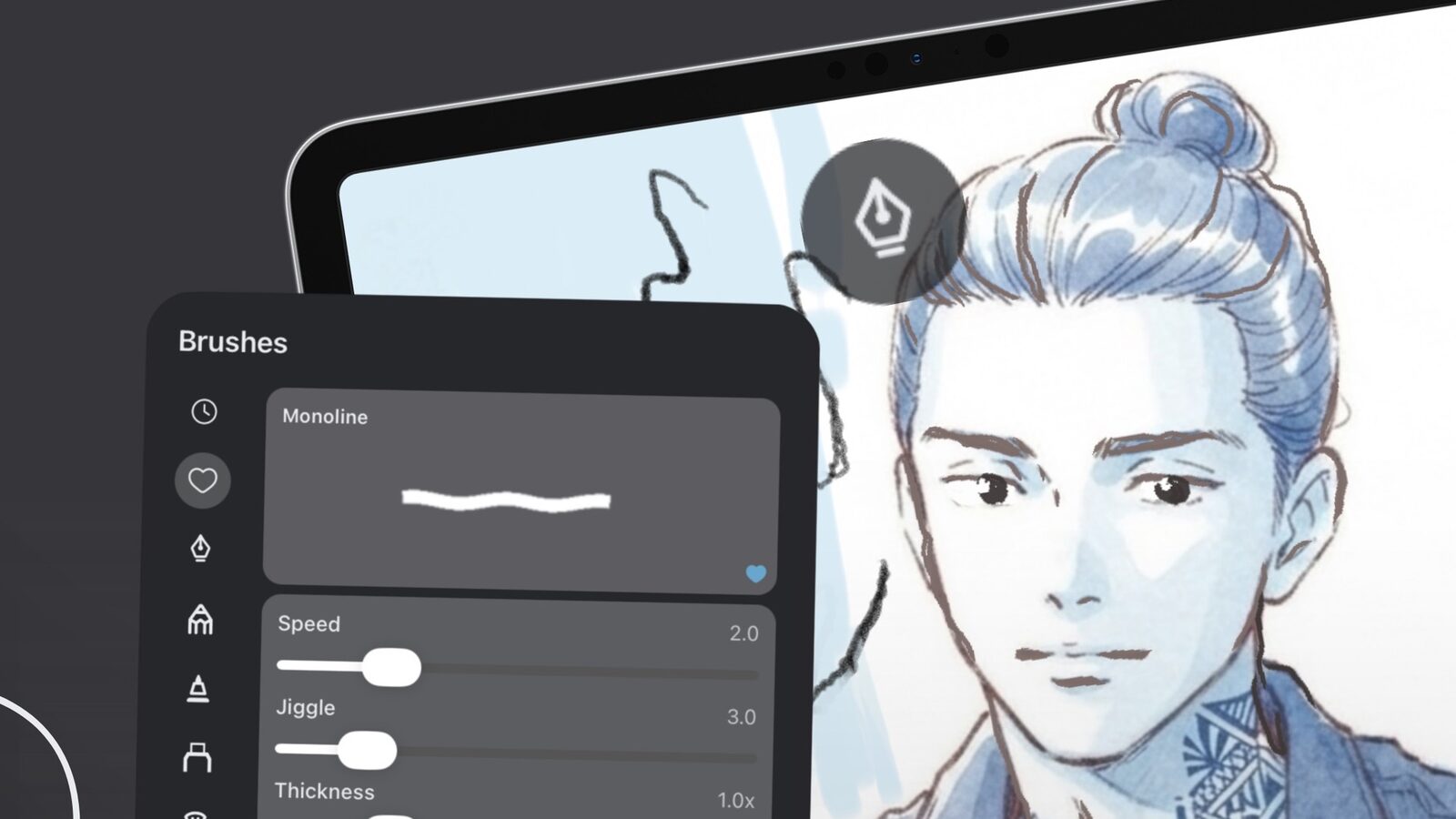
Doodraw 1.2.1 is out on the App Store for iPhone and iPad and on Google Play for Android, since November 24. The big change: your brushes are now truly yours. Build one from a recipe or from scratch, give it particles, a halo or an echo, and draw with it like any other Doodraw brush.
Get Doodraw 1.2.1
- iPhone and iPad: App Store. Requires iOS or iPadOS 16.4 or later.
- Android phones and tablets: Google Play. Requires Android 8.0 or later.
Already have Doodraw? Update it from your store.
What’s new in 1.2.1
Brushes that are truly yours
Create a brush from a recipe or start from scratch, then add effects like particles, a halo or an echo, and pick a shape. Creating and importing brushes is free for everyone.
Layer folders and clipping masks
Group your layers into folders, and clip a layer to the one below to color inside your lines without going over.
Three new layer effects (Pro)
Side to side, Zoom in and Zoom out move a whole layer on its own, on top of the wiggle of every line.
New export formats
Export your animation as a WebM video with a transparent background, or as one PNG per frame, ready for editing software, stream overlays or game engines.
Small things that add up
- Your brush settings now carry over to new canvases.
- Left-handed mode, an Illustration card, and 4:3 and 3:4 formats.
- A cleaner look across the app, and the lasso now copies and pastes images too.
- Doodraw now speaks Chinese (simplified and traditional), Italian, Vietnamese and Thai.
Fixes
- Doodraw opens again on iPhone and iPad with iOS and iPadOS 16 and 17.
- Doodraw resumes more smoothly when you come back to it, and video export is more reliable.
- On Android: a black canvas on some phones and a freeze when leaving a canvas are fixed.
Free and Pro
Doodraw is free to download, and drawing, animating and exporting are free: exports run up to 3 seconds with a small doodraw.com mark. Doodraw Pro adds the Pro brushes and effects, and exports up to 15 seconds without the mark.
Windows
The Windows app stays on version 1.2.3 for now, available on the Microsoft Store and at doodraw.com/download/windows.
Made something with your own brush? Show us on Discord or tag @doodraw.app on Instagram.