Boiling Lines Animation: How to Make Wiggle Art in 2026
Boiling lines are outlines that shimmer and wiggle because the same drawing is redrawn a few times with tiny differences and played in a loop. The classic way is to trace your drawing on 2 to 4 frames and loop them at around 8 frames per second. The fastest way is Doodraw: every stroke animates the moment you draw it, so your wiggle art is moving before you even think about frames.

What boiling lines are (and where you have seen them)
A line boil happens when the drawings in a frame-by-frame animation do not line up perfectly. Each time a line is redrawn it lands a hair to the left or right, and when the drawings play back in sequence the outline seems to bubble, which is where the name comes from. For a long time it was treated as an accident to minimize. Today artists use it on purpose because it makes a still drawing feel alive and obviously handmade.
Two well-known TV shows built their whole look on it:
- Dr. Katz, Professional Therapist (Comedy Central, 1995 to 2002) used Squigglevision, a technique created by Tom Snyder. According to Wikipedia’s Squigglevision article, animators looped five slightly different drawings, so every character outline squiggled constantly while background objects stayed still.
- Ed, Edd n Eddy (Cartoon Network, 1999 to 2009) gave its characters shimmering boiling lines. Wikipedia’s article on the show explains that the boil was made by tracing a drawing three times through sheets of paper, and that creator Danny Antonucci likened the look to cartoons of the 1930s.
Notice the drawing counts: five for Squigglevision, three for Ed, Edd n Eddy. You do not need many drawings, just a few that differ slightly.
On the web, the look is often called wiggle art. WigglyPaint, a free drawing tool by John Earnest built with Decker (a platform from the same creator), runs in a web browser, applies line boil to everything you draw and saves GIFs. Its creator states that there are no official iOS or Android apps for WigglyPaint and that it is published only on itch.io, the creator’s own website and Newgrounds, so use those pages if you want to try it.
How a boil works: the same drawing, three times
The whole trick fits in one picture. Here is a simple doodle drawn three times. Nothing moves between the frames on purpose: the mug does not tilt and the steam does not rise. Only the lines drift a little, because no hand can trace the exact same path twice.
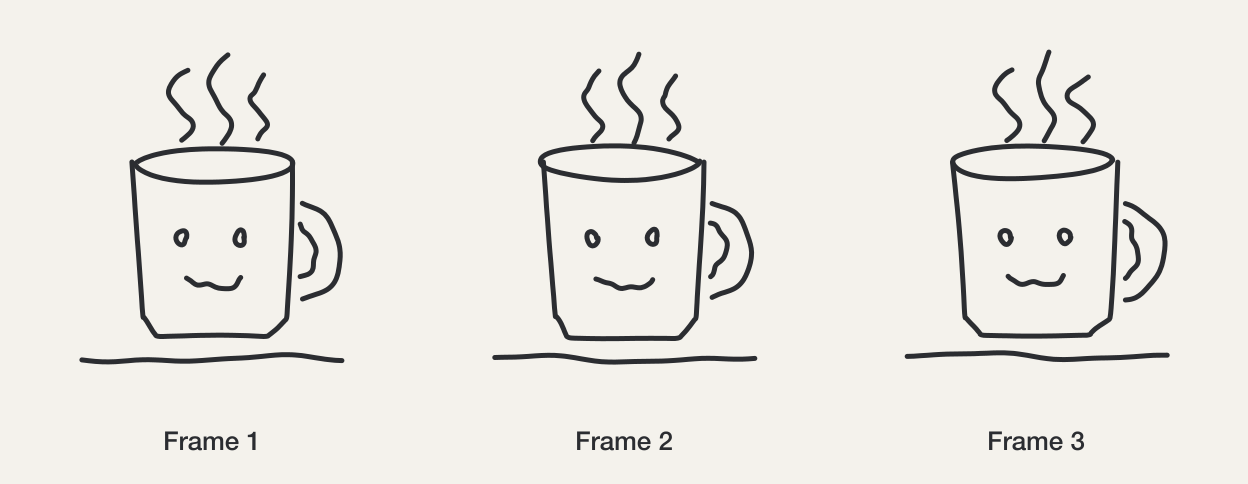
Loop those three frames and you get a boil:
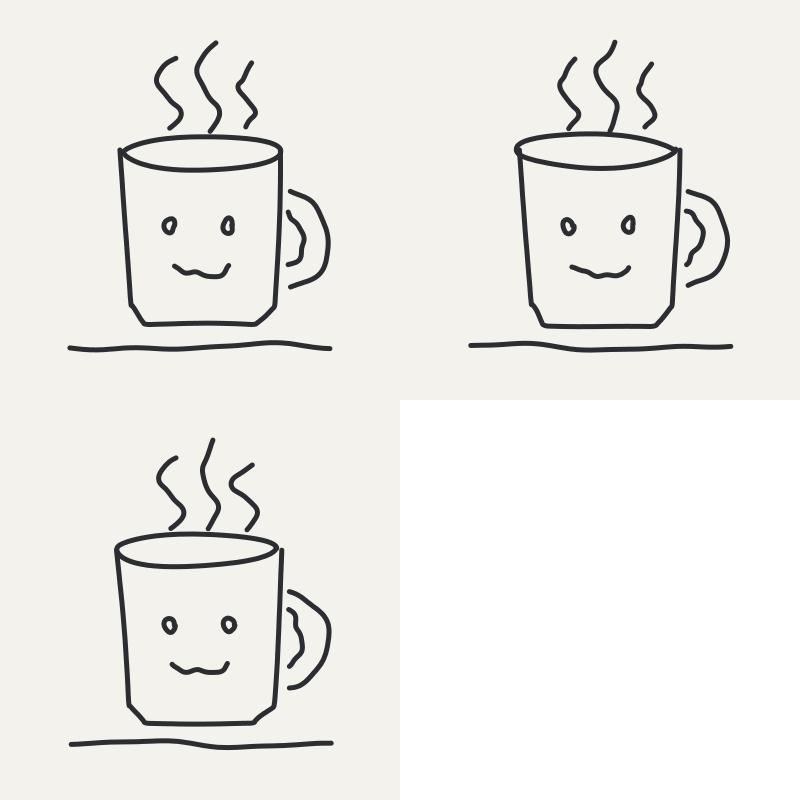
Two things shape the result:
- How different the drawings are. Small differences give a soft shimmer, large ones a nervous scribble.
- How fast they cycle. A slow cycle feels calm, a fast one feels jittery.
The classic manual method, step by step
This works in any app with frames and onion skin, and also on paper with a light box.
1. Draw a clean first frame
Draw your picture on frame 1. Keep it simple: bold outlines with few details boil best. Keep any flat color on a separate layer so it stays still under the boiling outline.
2. Turn on onion skin
Onion skin shows the previous frame as a faint ghost under the one you are drawing. Set it to show one frame at low opacity. You want to see the lines you are tracing without mistaking them for the real drawing.
3. Trace frame 2 loosely
Add a new blank frame and trace over the ghost of frame 1. Do not try to be exact. Trace at your normal drawing speed and let the line wander a little. If you trace too carefully, the boil will be almost invisible.
4. Trace frame 3 from frame 1, not frame 2
Add a third frame. Trace it from frame 1 again rather than from frame 2. If each frame copies the one before it, small errors add up and the drawing slowly drifts across the canvas, which reads as sliding rather than boiling.
5. Set the timing
Play it back and adjust the frame rate. Here is a practical starting guide:
| Frame rate | Feel | Good for |
|---|---|---|
| 4 fps | Slow, calm, dreamy | Backgrounds, quiet illustrations |
| 6 to 8 fps | Lively but readable | Characters, stickers, most wiggle art |
| 12 fps | Busy and energetic | Titles, reactions, cartoon energy |
| 24 fps | Jittery, almost vibrating | Short moments of shock or cold |
The PremiumBeat hand-drawn line boil tutorial uses 8 fps with four drawings, which lands in the middle of this table.
6. Loop it
Set playback to loop. Three drawings in a plain loop (1, 2, 3, 1, 2, 3) is the classic choice. A ping-pong loop (1, 2, 3, 2, 1) gives you five steps from three drawings.
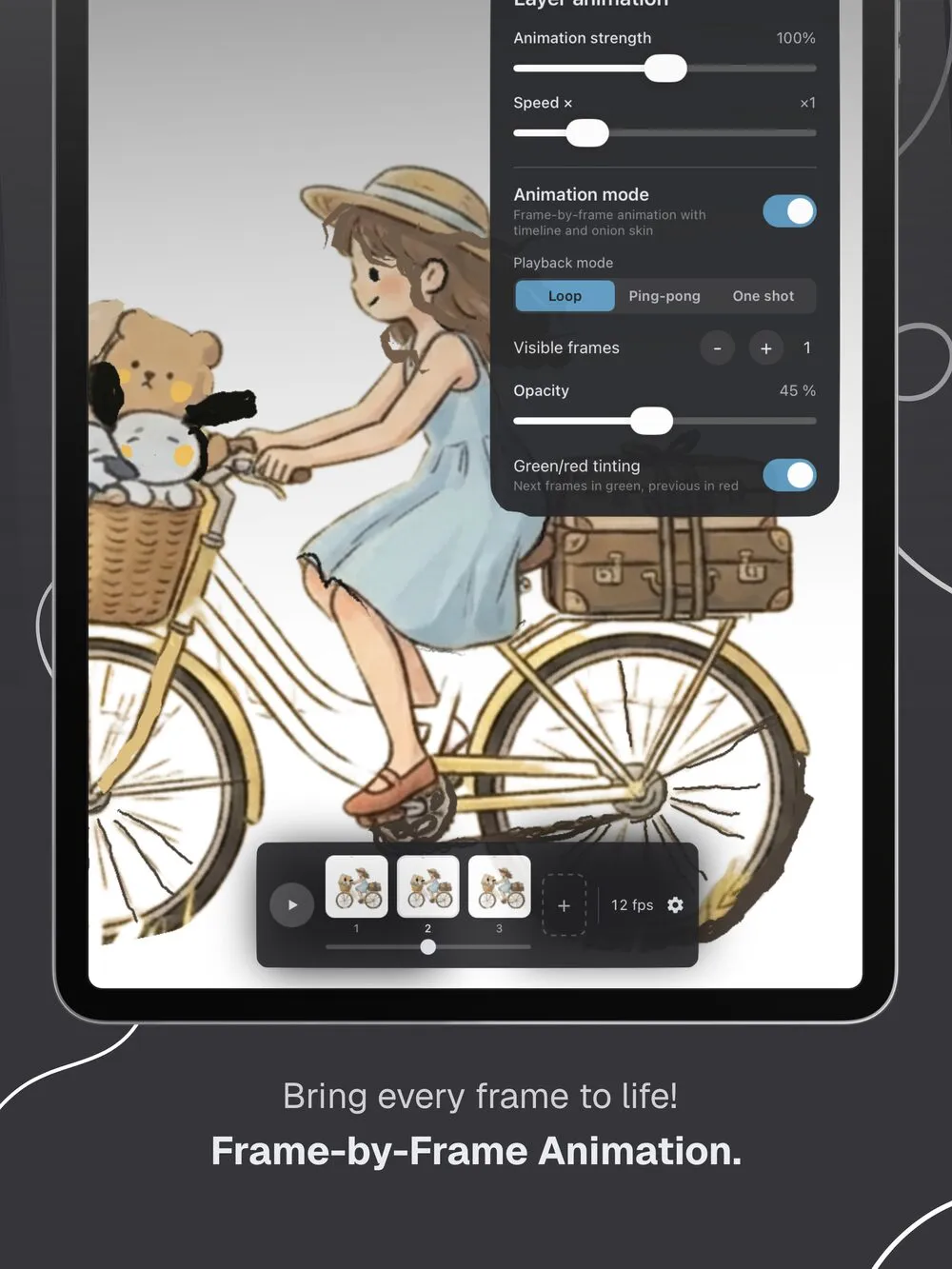
The manual method gives you full control, but every element needs its own traced frames. That is the part Doodraw removes.
Making boiling lines and wiggle art in Doodraw
Doodraw is a drawing app for iPhone, iPad and Android where every stroke animates the moment you draw it. Each brush has motion built into the stroke, so there is no timeline and there are no keyframes. You draw once and the line boils.
1. Pick a brush
Open the brush list and try a few. Every brush moves in its own way, and several of the free brushes are well suited to a boil:
- Crayon and Chalk use a boil motion: the points of the line jump to slightly new positions a few times per second, like quick redraws.
- Felt Pen and Trio redraw the line in rougher segments, which reads as a sketchy scribble. Trio draws three parallel strokes in one gesture, handy for hatching and texture.
- Wobbly Pen gives the whole stroke a tremor, for a more nervous energy.
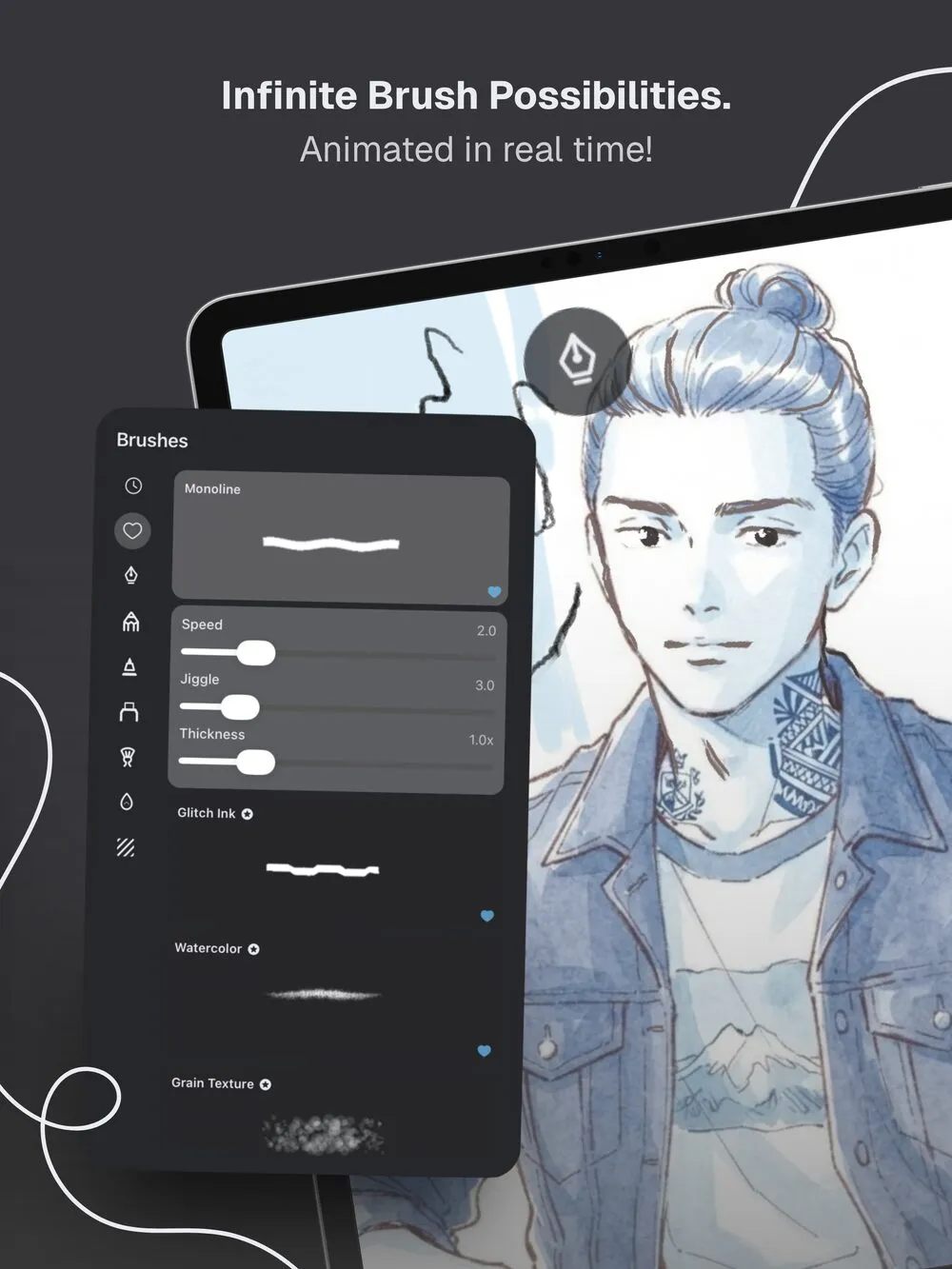
2. Tune Speed and Jiggle
Every animated brush has two sliders that map directly onto the two controls from the manual method:
- Speed sets how quickly the line changes. On a boil brush it decides how many times per second the line is redrawn.
- Jiggle sets how far the line strays from where you drew it. Low values give a shimmer, high values give a strong wiggle. At 0, the stroke stays still.
3. Set stabilization
Stabilization smooths your hand input and goes from 0 to 100% on every brush. Doodraw remembers the value per brush. For wiggle art, a medium to high value keeps the drawn line clean, so the motion comes from the boil rather than from a shaky hand. Turn it down if you want the raw, hand-wobbled look on top of the animation.
4. Use layers for different speeds
Doodraw has a flexible layer system, and each layer can be animated independently. Put a character on one layer and the background on another. With Doodraw Pro, the Layer animation panel adds an Animation strength slider and a Speed multiplier for the active layer, so you can make the background boil softly while the character stays energetic, without redrawing anything.
5. Add a hand-made boil with the frame-by-frame assistant (Pro)
If you want the traditional look drawn by your own hand, turn on Animation mode. You get a frame strip with a button to add frames, a frame rate menu from 4 to 60 fps, and onion skin with adjustable visible frames, opacity, and green and red tinting (previous frames in red, next frames in green). Playback can be Loop, Ping-pong or One shot. It is the manual method above, on your phone or tablet. Set Jiggle to 0 on your brush if you want only your own hand-drawn variation, or keep some Jiggle to combine both.
6. Try the Frame Echo brush (Pro)
Frame Echo draws every stroke three times with a slight offset, like stacked frames of hand-drawn animation. One gesture gives you the line plus two copies that are shifted and turned by a few pixels, so the copies cross and hug the original irregularly. By default the copies stay still, giving a single drawing the look of layered boil frames. An Offset slider sets how far the copies stray, and raising Jiggle makes them move.
Manual boil or automatic boil?
| Manual frames (any app) | Doodraw animated brushes | Doodraw frame-by-frame (Pro) | |
|---|---|---|---|
| Drawings per element | 2 to 4 | 1 | 2 or more |
| Timing control | Frame rate | Speed slider | Frame rate, 4 to 60 fps |
| Strength control | How loosely you trace | Jiggle slider | How loosely you trace, plus Jiggle |
| Time for a 10 second loop | High | Low | Medium |
| Best for | Full control, learning | Fast wiggle art, stickers, social posts | A traditional look with your own lines |
For a broader walkthrough of animating a drawing from scratch, see how to animate your drawings in seconds. If you want to apply the look to a full character piece in a sketchy style, our OMORI art style tutorial goes step by step.
Tips for a good boil
Line weight
Medium to bold lines boil best. Very thin lines can shimmer so much that they look noisy, and at small sizes on a phone screen the motion can disappear. If a thin line looks like static, raise Thickness a little before lowering Jiggle.
Speed
Slow speeds suit quiet scenes and backgrounds. Fast speeds suit reactions and titles. When in doubt, go slower: a fast boil across a whole canvas gets tiring to watch.
Subtle or strong jiggle
A subtle jiggle makes a drawing feel alive without drawing attention to itself. A strong jiggle becomes the point of the piece, and the viewer notices the motion before the drawing. A useful pattern is strong jiggle on one focal element and subtle jiggle everywhere else, so the eye knows where to look.
Keep text readable
Handwritten text is where a boil causes the most trouble. Letters that wiggle a lot are hard to read, especially at small sizes. Put text on its own layer, use low Jiggle and a slightly thicker line, and keep the Speed moderate. With Pro, lower the Animation strength of the text layer instead of redrawing it.
Keep still things still
Not every line needs to boil. In Dr. Katz, Professional Therapist, most inanimate objects stayed static while the people squiggled, and that contrast keeps attention on the characters. In Doodraw, set Jiggle to 0 for elements that should stay calm, like a table edge or a frame.
Exporting your wiggle art
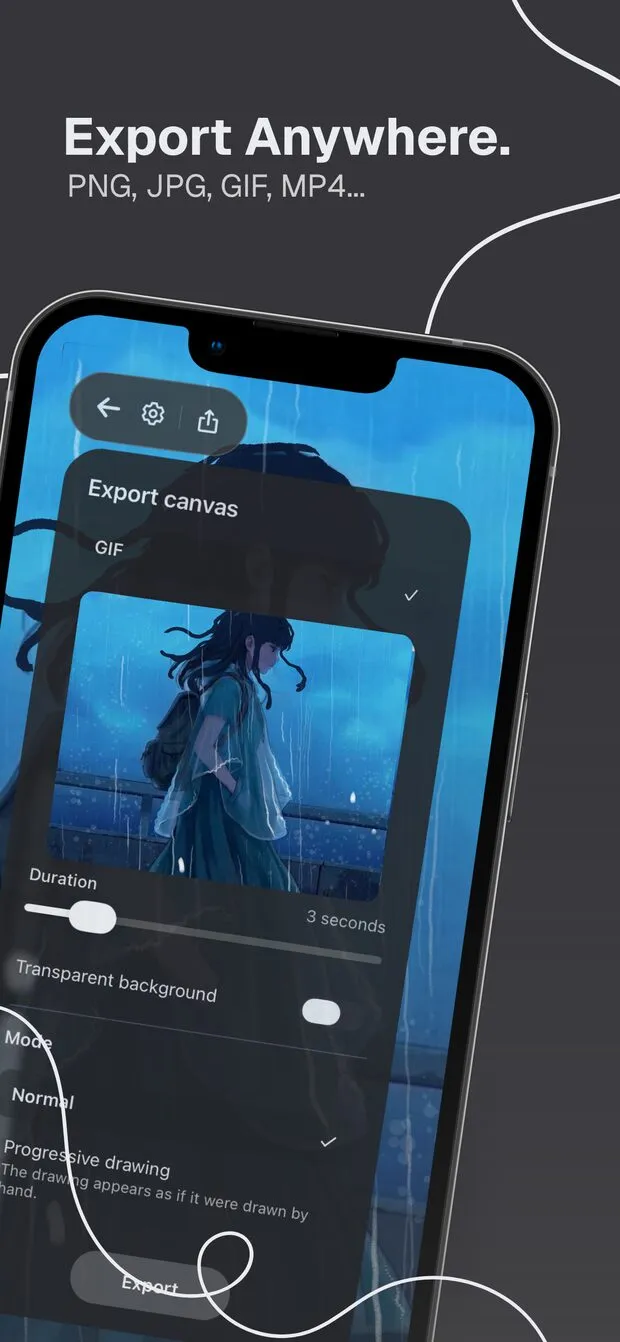
Doodraw exports animations in three formats, with a Duration slider from 1 to 15 seconds.
| Format | Transparency | Best for |
|---|---|---|
| Animated PNG (Recommended) | Real 8-bit alpha, soft edges stay clean | Stickers and overlays on any background |
| GIF | On or off per pixel, edges can look jagged on colored backgrounds | Chats, forums and sites that only take GIFs |
| MP4 (H.264, 30 fps) | No | TikTok, Instagram Reels, YouTube Shorts |
A few practical notes, as of September 2026:
- Transparent background is a free toggle for GIF and Animated PNG. Turn it on for stickers and for dropping your doodle into another video or design.
- MP4 is the format for TikTok and Reels. Those platforms expect video, not GIFs, and MP4 export works on both iOS and Android.
- Free exports carry a watermark. Doodraw Pro removes it.
For a deeper look at formats, sizes and where each one works best, read our guide to turning a drawing into a GIF on your phone.
Start boiling
Boiling lines come down to how different each redraw is and how fast the redraws cycle. Control both by hand with frames, or let Doodraw handle it. Doodraw is made by two French artists (more about us), with no AI: every line is yours, and the engine only moves your strokes.
Download Doodraw for free on iPhone, iPad or Android, pick a brush, and draw your first boiling line.
FAQ
What is a boiling line animation?
A boiling line animation is a drawing that seems to shimmer or wiggle in place. It is made by drawing the same picture several times with small differences and looping those drawings, so the outlines never sit perfectly still. Doodraw creates the effect automatically: every stroke you draw starts moving the moment you lift your pen.
How many frames do you need for boiling lines?
Two drawings are enough for a visible boil, and three is the most common choice because the loop feels less mechanical. Some productions used more: Squigglevision on Dr. Katz, Professional Therapist looped five slightly different drawings. A playback speed around 8 frames per second is a good place to start.
What app makes boiling lines automatically?
Doodraw, on iPhone, iPad and Android, animates every stroke as you draw, so boiling lines need no frames at all. You adjust the Speed and Jiggle sliders on the brush to control how fast and how strongly the line moves. Doodraw Pro also includes a frame-by-frame assistant with onion skin if you want to draw each frame by hand.
Can you export wiggle art with a transparent background?
Yes. Doodraw exports Animated PNG and GIF with a free Transparent background toggle, for any duration from 1 to 15 seconds. Animated PNG is the recommended format because it keeps soft edges clean on any background. GIF transparency is on or off per pixel, so edges can look jagged on colored backgrounds.
Is Doodraw free for making wiggle art?
Yes. Doodraw is free to download, and drawing, animating and exporting are free. Free exports carry a watermark. Doodraw Pro removes the watermark and adds the frame-by-frame assistant, per-layer animation controls, progressive drawing export and premium brushes such as Frame Echo.