How to Draw in the OMORI Art Style (and Make It Move)
To draw in the OMORI art style, keep your character simple and cute, draw with scratchy, pencil-like lines and hatching, and set a mostly black-and-white figure against lots of empty space or a small set of bright colors. The drawings look like they came out of a sketchbook, and in the game they move in short hand-drawn loops. Doodraw adds that hand-drawn wobble to every stroke automatically, so your drawing starts moving the moment you draw it.
This guide is only about the visual style. There are no story spoilers, and every example uses an original character, not one from the game.
What makes the OMORI art style recognizable
OMORI is a role-playing game developed and published by OMOCAT, released on PC and Mac in December 2020 and on Nintendo Switch, PlayStation 4 and Xbox in 2022 (see the official OMORI website). OMOCAT’s portfolio describes it as a game “designed, written, illustrated, programmed, and produced by OMOCAT.” Reviewers kept coming back to the art: Rock Paper Shotgun wrote that it “resembles a sketchbook come to life.”
Here are the traits you can actually point at, and what each one means for your own drawing.
Colored pencil line work
In battles, characters and enemies appear as “perfectly imperfect colored pencil drawings,” according to Nintendo Life’s review. PC Gamer described some monsters as “scratchy pencil drawings.” OMOCAT has also shared early sketchbook drawings for the game made with crayons, markers and color pencils.
For your drawing, that means lines with grain, edges that get restated instead of traced once, and hatching instead of smooth gradients.
Black and white against color
The game has two very different moods. White Space is described by Rock Paper Shotgun as “a blank room,” and Nintendo Life calls its main character “a young, colorless boy.” Headspace, by contrast, is “a fantastical and colorful imaginary world” in RPGFan’s review, where each zone gets its own color palette.
So you have two directions to choose from: a monochrome figure floating in empty white, or a scene built on a small, deliberate palette.
Simple, cute characters
Nintendo Life calls the art style “simplistic, but deeply satisfying” with “adorable characters,” and CBR says the enemies “seem to be pulled right out of a kid’s sketchbook.” The charm comes from how little is drawn, not how much.
Pixel sprites plus hand-drawn animation
Exploration happens with pixel sprites, but the big moments switch to drawn art. Destructoid notes the overworld is sprite-based while “the actual character and monster art is hand-drawn.” CBR mentions “sketchy, hand-drawn animation loops,” and RPGFan highlights “animated comic-like cutscenes.” Those loops are the wobbly look people want to recreate, and it is the same trick as boiling lines animation.
| Trait | What reviewers describe | How to get it in your drawing |
|---|---|---|
| Line work | Colored pencil, scratchy, sketchbook | Textured brush, restated lines, hatching |
| Color | Colorless figure in White Space, colorful Headspace zones | Grayscale, or 3 to 4 colors per scene |
| Characters | Simple, adorable | Big round head, dot eyes, few shapes |
| Motion | Short hand-drawn animation loops | Boiling lines with low jiggle |
Step by step: draw an original character in this style
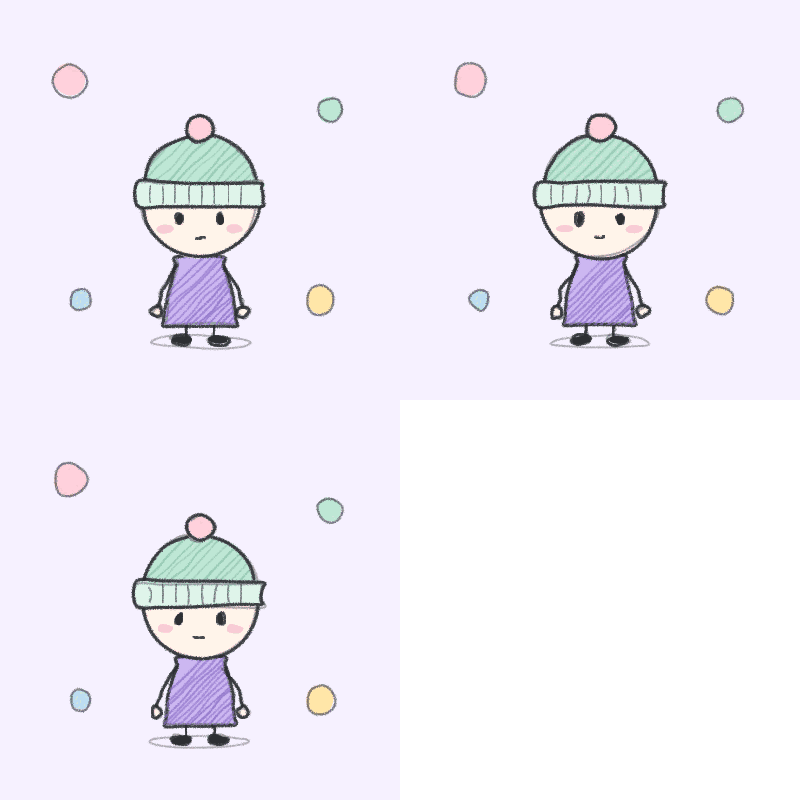
We will draw a small kid in a beanie. Use your own character idea if you have one: the steps are the same.
Step 1: Block in big, simple shapes
Start with a circle for the head. Make it large: roughly as tall as the body and legs combined. Under it, draw a short tube or bell shape for the body, two stick arms ending in small round hands, and two short legs with tiny oval feet. Skip the neck. Skip fingers, knees and elbows. If a shape needs explaining, it is too detailed for this style.
Step 2: Place a small, quiet face
Put the eyes just below the middle of the head and space them wide apart. Solid dots or short vertical ovals work best. Add a tiny mouth, a short line or a small curve, and leave out the nose. A neutral face is the easiest place to start. Small changes then carry a lot of emotion: tilt the mouth line, raise one eye, add two lines of blush on the cheeks.
Give your character one shape of its own, like a hat, a hood, a bow or a scarf. That makes it recognizable at a tiny size and keeps it clearly yours instead of a copy of a game character.
Step 3: Draw lines like a pencil, not a vector
Choose a textured brush and a medium-thin size. Draw each contour in one or two confident passes and let lines overlap a little at the corners. A second, lighter pass over the outline adds that sketchbook feeling. Do not erase every stray mark: a few are part of the look.
Keep stabilization low. Doodraw lets you set stabilization from 0 to 100% on every brush, and a high value smooths out exactly the small hand shake that makes pencil lines feel alive.
Step 4: Shade with hatching
Shade dark areas with parallel diagonal lines instead of solid fills or gradients. Keep all hatching in the same direction, and draw the lines closer together where you want it darker. Hatching works well on hats, hair, and the shadow side of clothes.
Step 5: Choose colors on purpose
Pick one of two directions:
- Monochrome: dark gray ink on white. This is the look for a White Space style scene.
- Small soft palette: an off-white skin tone, one main color for clothes, a darker shade of that same color for hatching, and one accent for cheeks or a small detail.
In Doodraw, save your colors in My palette so they stay consistent between drawings. Use the Fill tool for flat areas, then hatch on top with the darker shade.
Make it move in Doodraw
In Doodraw, every stroke animates the moment you draw it. There is no timeline and there are no keyframes, so you can follow the steps above exactly as you would on paper, and the drawing boils on its own.
Pick brushes that feel like pencil
Doodraw has a Pencil category, but a few brushes from other categories also suit this style. Tiers are as of September 2026.
| Brush | Category | Tier | Use it for |
|---|---|---|---|
| Crayon | Pencil | Free | Main line art with visible grain |
| Chalk | Texture | Free | Softer, speckled lines and light shading |
| Wobbly Pen | Scribble | Free | Inked outlines with a shaky edge |
| Trio | Scribble | Free | Fast hatching: three parallel lines per gesture |
| Charcoal | Pencil | Pro | Dark, smudgy lines and heavy shadows |
| Frame Echo | Scribble | Pro | Each stroke redrawn three times with a slight offset, like stacked animation frames |
A simple combo: Crayon for outlines, Trio for hatching, and a darker Crayon stroke for the eyes.
Keep Speed and Jiggle subtle
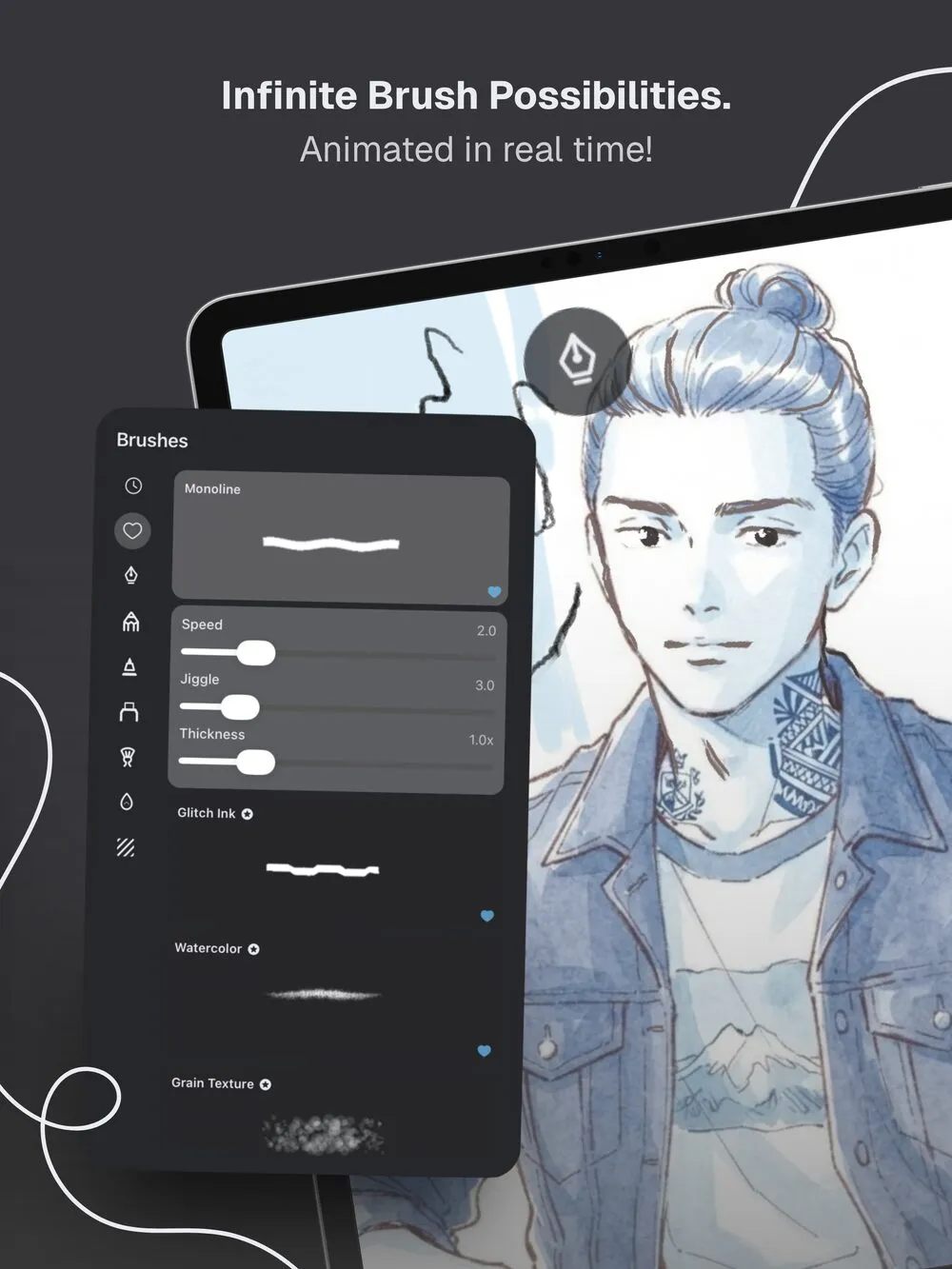
Each animated brush has Speed and Jiggle sliders next to Thickness. Jiggle controls how far the line moves, and Speed controls how fast. The OMORI style look is a tremble, not a wave, so lower Jiggle until the line barely shifts and keep Speed moderate. Draw a test stroke in a corner, adjust, then draw your character.
If the motion distracts you while drawing, turn on Pause animations in the canvas settings and switch it off again to preview.
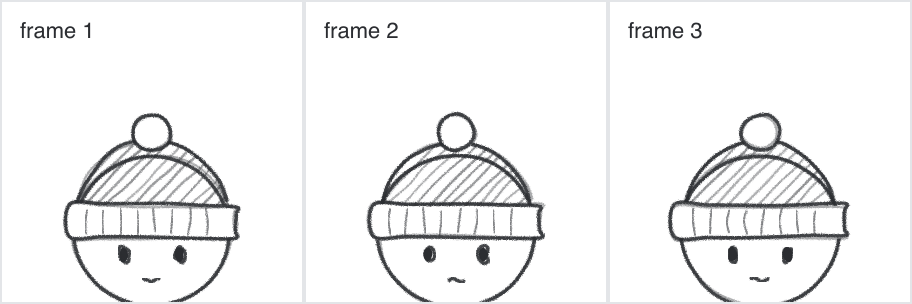
For more on how this effect works and how far to push it, read our guide to boiling lines animation.
Use layers for character and background
Doodraw’s layers can each be animated independently. A clean setup looks like this:
- Background layer: paper color, floor shadow, any scenery.
- Color layer: flat fills for skin and clothes.
- Line layer: outlines, face and hatching on top.
This lets you recolor without redrawing lines, and hide the background later for a transparent export. With Doodraw Pro, per-layer animation controls let you set intensity and speed per layer, for example a nearly still background and a livelier character.
Build a White Space style scene
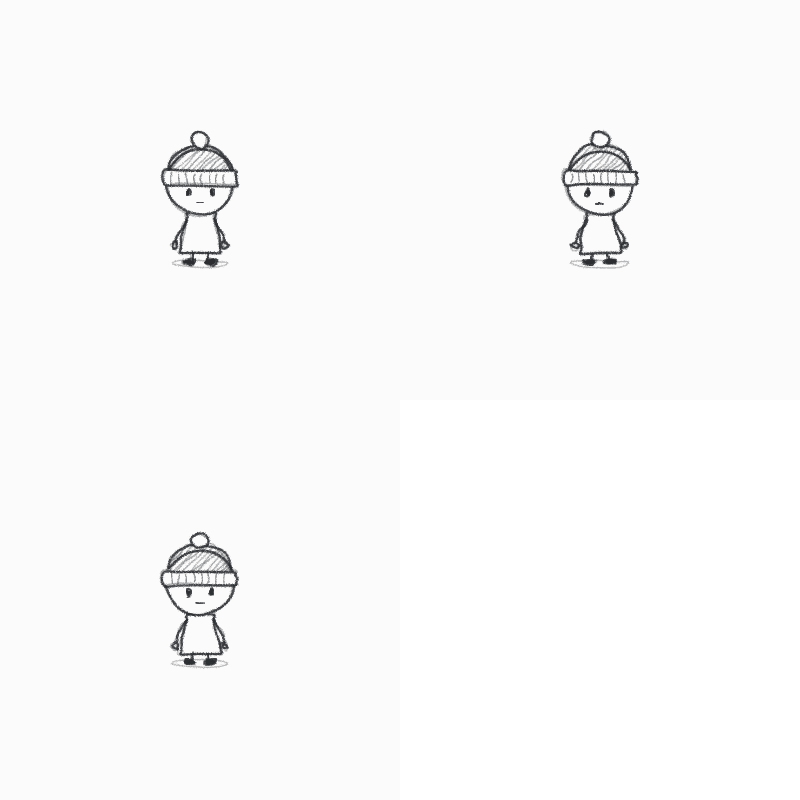
Emptiness is the whole composition here. Start a new canvas with a white background and draw your character small, about a fifth of the canvas height, near the center. Keep it monochrome. Add a light scribbled shadow under the feet so the figure has somewhere to stand, and stop there. If you want one object in the scene, invent your own rather than reproducing props from the game.
Export as GIF, Animated PNG or MP4
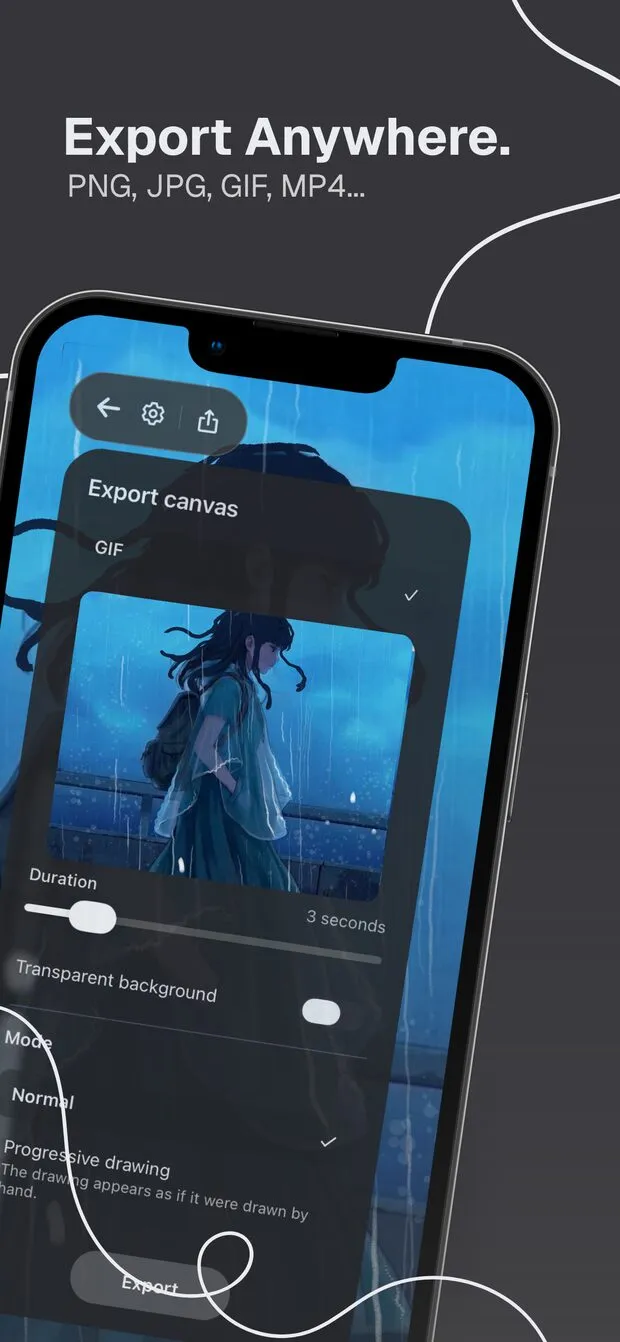
Open the export sheet and pick a format based on where the drawing is going. Duration goes from 1 to 15 seconds, and you can share directly or save to your gallery.
| Where it goes | Format | Settings |
|---|---|---|
| Stickers, emoji, animated profile pictures | Animated PNG (marked Recommended) | Transparent background on |
| Apps that only accept GIF | GIF | Transparent background on, best on light backgrounds |
| TikTok, Reels, Shorts | MP4 | Keep your background visible |
GIF transparency is on or off per pixel, so soft pencil edges can look jagged on dark or colored backgrounds. Animated PNG has real transparency and keeps those edges clean. Exporting is free, with a watermark on free exports that Doodraw Pro removes. For a full walkthrough of phone exports, see how to turn a drawing into a GIF on your phone.
Common mistakes
- Lines that are too clean. High stabilization and smooth ink brushes erase the pencil feeling. Use a textured brush and low stabilization.
- Too much jiggle. Big movement makes lines look like jelly. The reference look is a small tremble.
- Too many colors. Gradients and a full rainbow break the sketchbook mood. Stay at 3 or 4 colors per scene, or go fully monochrome.
- Too much detail. Noses, realistic eyes and anatomy pull the drawing away from the style. Fewer shapes read better.
- Filling the frame. In a White Space style scene, the empty area matters as much as the character.
- Tracing or copying game art. Learn from the style, then draw your own characters and objects.
FAQ
What brush should I use for the OMORI art style?
Pick a textured, pencil-like brush with pressure sensitivity. In Doodraw, Crayon (free) gives grainy pencil lines, Chalk (free) gives softer speckled lines, and Charcoal (Pro) gives dark, smudgy strokes. For fast hatching, the free Trio brush draws three parallel lines with every gesture.
How do you get the wobbly, hand-drawn animated look?
The shimmer comes from boiling lines: the same drawing redrawn a few times with tiny differences, then looped. Doodraw does this automatically, since every stroke animates as you draw it. Keep Jiggle low and Speed moderate so the lines tremble like pencil instead of waving like jelly.
How big should the head be when drawing in this style?
Go big and simple. A round head roughly as tall as the body and legs combined reads as young and cute, which fits the style. Skip the neck, keep arms as simple sticks with round hands, and place small dot eyes just below the middle of the head.
Can I export an OMORI style drawing as a transparent GIF?
Yes. Doodraw exports GIF and Animated PNG with a Transparent background toggle, for free, with a duration from 1 to 15 seconds. Animated PNG keeps soft pencil edges clean on any background, while GIF edges can look jagged on colored backgrounds. Choose MP4 for TikTok.
Is this an official OMORI tutorial?
No. OMORI is a trademark of OMOCAT, LLC. This is an unofficial fan tutorial about the look of the art style, with an original character. It is not affiliated with or endorsed by OMOCAT, LLC.
Start drawing
OMORI is a trademark of OMOCAT, LLC. This is an unofficial fan tutorial, not affiliated with or endorsed by OMOCAT, LLC.
Doodraw is made by two French artists who wanted drawings to move without timelines or keyframes. Draw your character, keep the wobble small, and export a loop you can share. Download Doodraw for free on iPhone, iPad or Android.