Doodraw vs MoveBrush: Animated Drawing Apps Compared (2026)
Doodraw is the better choice if you draw on an iPhone, an Android device or an older iPad, want more animated brushes for free, and need transparent GIF or Animated PNG exports without paying. MoveBrush is the better choice if you only work on a recent iPad, want a frame-by-frame timeline in the free tier, and need longer videos: its Premium unlock exports MP4s up to 60 seconds, while Doodraw exports 1 to 15 seconds.
A quick note on sources. We make Doodraw, so every MoveBrush detail below comes from its App Store listing (version 1.0.6) and its official page, checked in September 2026. Where those pages say nothing, we say nothing.
Doodraw vs MoveBrush at a glance
| Feature | Doodraw | MoveBrush |
|---|---|---|
| Developer | Ecrin Digital (France) | Easyberry LLC |
| Devices | iPhone, iPad (iOS 16.4+), Android | iPad only (iPadOS 18.2+) |
| Animated strokes | Every stroke animates as you draw | Brushes wiggle, jitter, glow and move as you draw |
| Brushes | Most free, premium brushes with Pro | 7 animated brush types, 3 free |
| Brush controls | Speed, jiggle, thickness, stabilization 0 to 100% | Pressure-sensitive brush controls |
| Layers | Layers animated independently, blend modes | Layers with blend modes, layer groups |
| Frame-by-frame | Onion skin assistant (Pro) | Timeline with onion skin: 10 frames free, unlimited with Premium |
| Animation formats | Animated PNG, GIF, MP4 | MP4, GIF |
| Transparent background | GIF and Animated PNG, free | GIF (tier not stated) |
| Export length | 1 to 15 seconds | 5 seconds free, up to 60 seconds with Premium |
| Watermark | On free exports, removed with Pro | Removed with Premium |
| Price model | Free, Pro monthly, yearly or lifetime | Free, one-time Premium Unlock ($9.99 US) |
All MoveBrush prices and limits are as of September 2026.
How each app animates
Doodraw: motion is part of the brush
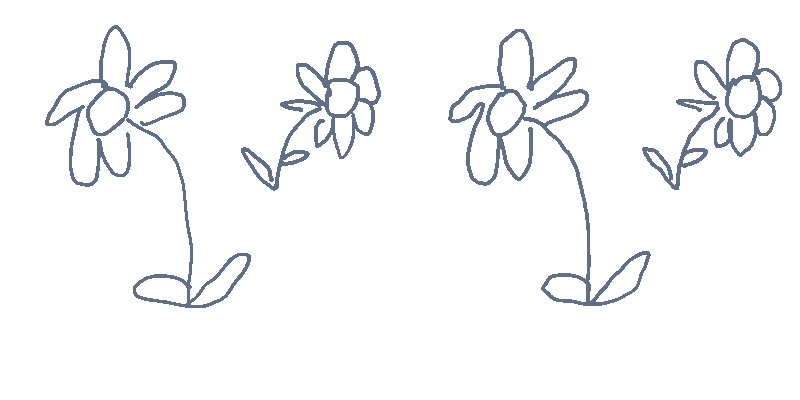
In Doodraw, every stroke animates the moment you draw it. Each brush has motion built into the stroke, so there is no timeline, no keyframes and no animation skill needed to get a drawing that moves. You draw a line, and the line is already alive. Each brush has sliders for animation speed and jiggle, so you can go from a gentle wobble to a nervous, boiling line.
Under the hood, Doodraw runs on a custom rendering engine written by hand in Rust (about 20,000 lines) on wgpu, drawing directly on the device GPU. Canvases full of animated strokes stay at 60 frames per second. There is no AI in the app: nothing is generated, every line is drawn by you, and the engine only moves the strokes.
MoveBrush: animated brush types plus a timeline
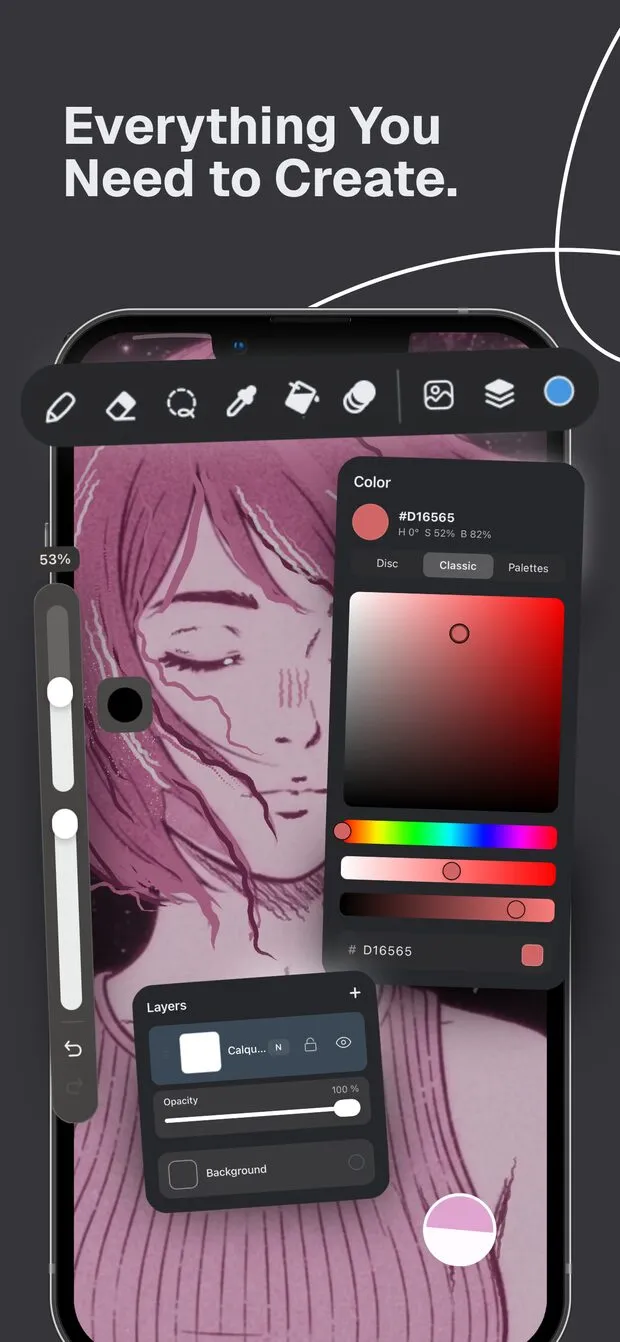
MoveBrush’s App Store listing describes it as an iPad drawing app “where every stroke comes alive”, with brushes that “wiggle, jitter, glow, and move as you draw”. The motion comes from the brush type you pick. The listing names seven: Jitter, Sketch, Dashed, Glow, Spray, Boil and Static (a standard, non-animated brush for precise work).
MoveBrush also added frame-by-frame animation, which its listing labels as new: you can draw frame by frame with onion skinning, reorder, duplicate and batch-edit frames in a Frame Manager, set custom hold durations per frame, toggle frame visibility and preview playback in real time.
If you are new to the idea, our guide on how to animate your drawings explains the basics.
Brushes: free vs paid
Doodraw brushes
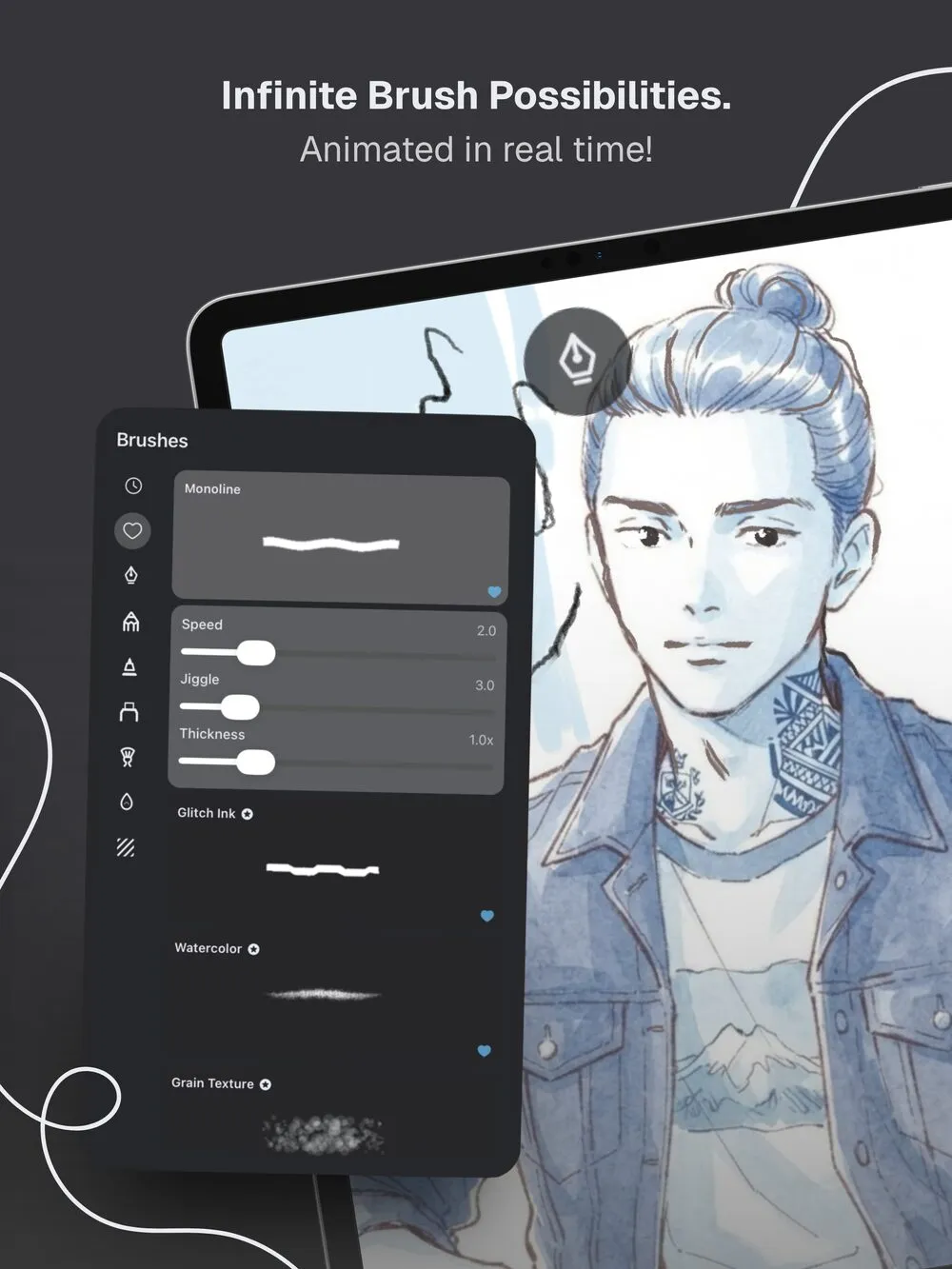
Doodraw’s brushes are grouped into categories such as Scribble, Pencil, Felt, Marker, Painting, Watercolor and Texture. Most of them are free, including brushes like Sticky Ink, Trio, Monoline, Neon and Electric Neon. A smaller group of premium animated brushes is part of Doodraw Pro, such as Glitch Ink, Watercolor, Grain Texture, Gouache, Charcoal and Frame Echo (every stroke is redrawn three times with a slight offset, like stacked frames of hand-drawn animation).
Every brush, free or Pro, has the same controls: animation speed, jiggle and thickness, plus stabilization adjustable from 0 to 100%. Doodraw remembers the stabilization value per brush, so your shaky scribble brush and your smooth inking brush can each keep their own setting.
MoveBrush brushes
As of September 2026, MoveBrush’s listing describes 7 animated brush types. The free tier includes 3 of them and lets you preview the other 4. The one-time Premium Unlock adds all brush types and includes future brush updates. Two small details on the listing do not line up perfectly: the promotional text mentions “all 8 animated brushes”, and the latest release notes (version 1.0.6) add a new Fill Tool and Fill Brush. Either way, the brush list is short and focused on distinct motion styles.
Which is better for brushes?
If you want more animated brushes without paying, Doodraw gives you more to work with. MoveBrush’s list is smaller, but each brush type has a clearly different motion (glow, spray, boil), which some artists will prefer.
Layers and control
Layers
Doodraw has a flexible layer system where each layer can be animated independently. Layers support blend modes, opacity, locking and reordering. With Doodraw Pro, you also get per-layer animation controls for intensity and speed, so a background can drift slowly while a character’s outline jitters fast. When you import a transparent PNG, it keeps its transparency and lands on its own layer.
MoveBrush lists multi-layer support with blend modes, layer groups (collapsible folders), layer thumbnails, multi-select for batch operations and full undo/redo for layer operations. The full layer system, with groups, is available in the free tier. Layer groups are a real plus if you build complex scenes with many layers.
Frame-by-frame
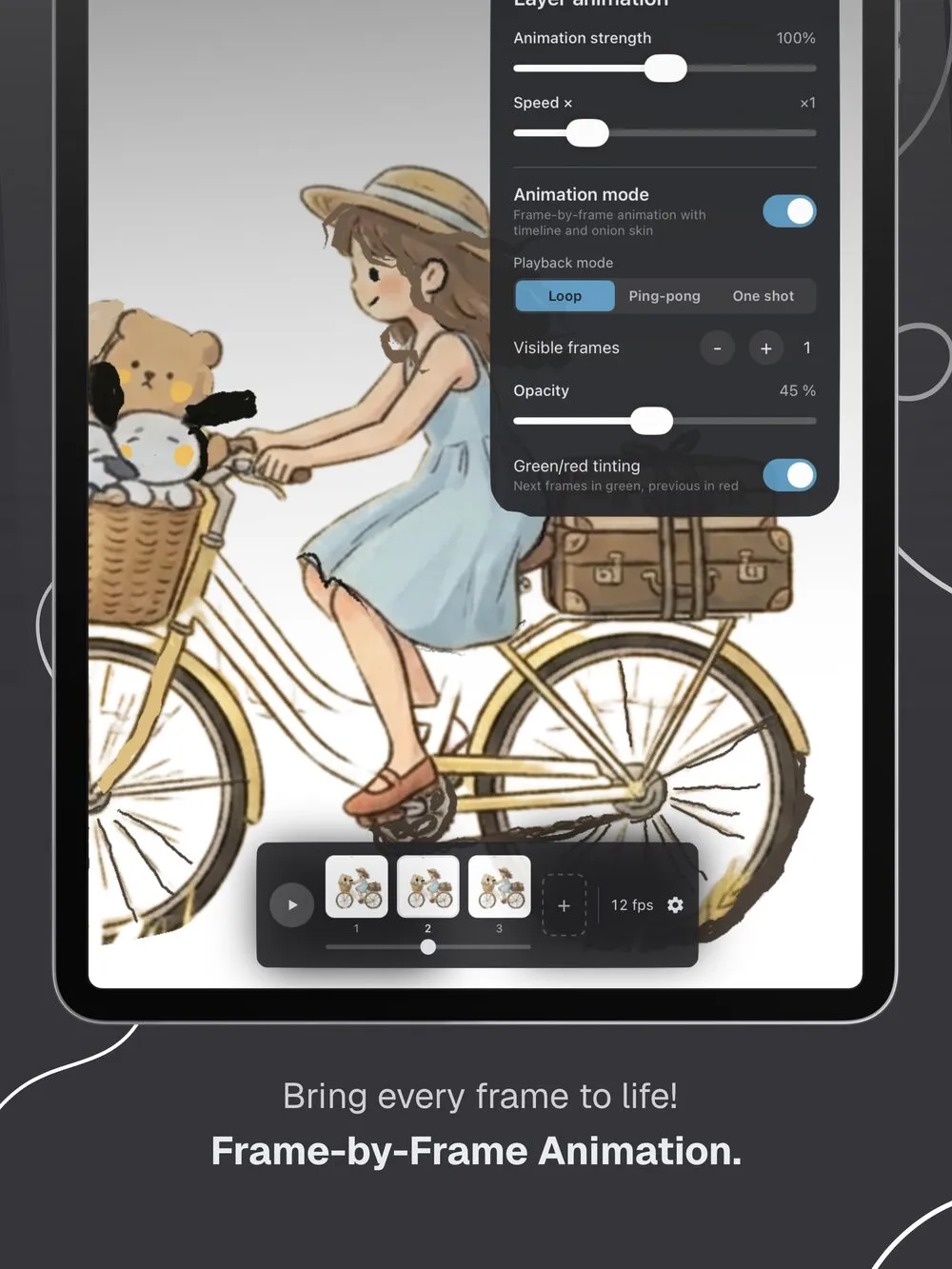
Doodraw’s frame-by-frame assistant shows previous and next frames tinted red and green, with adjustable visible frames and opacity, and playback in Loop, Ping-pong or One shot. It is part of Doodraw Pro.
MoveBrush includes its animation timeline in the free tier, limited to 10 frames, and Premium unlocks unlimited frames. It also lists custom frame hold durations and batch editing in its Frame Manager. If traditional frame-by-frame animation is your main goal and you do not want to pay before trying it, MoveBrush gives you more to start with.
Export: formats, transparency, length, watermark
Formats
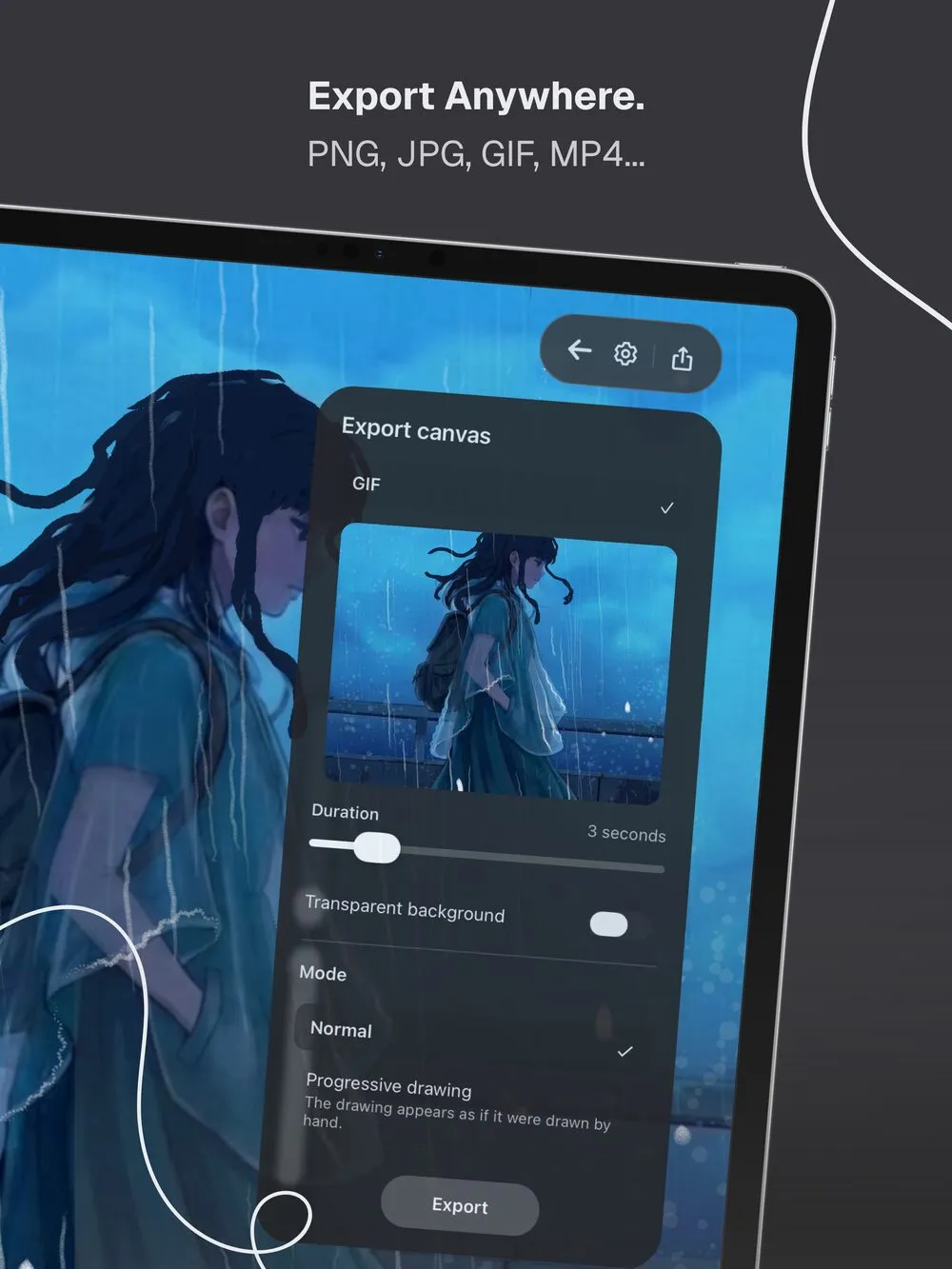
Doodraw exports still images as JPG or PNG (PNG is transparent when you turn off the canvas background). For animations, it exports:
- Animated PNG, marked “Recommended” in the app: lossless, with real 8-bit alpha, so soft edges stay clean on transparent backgrounds.
- GIF, for maximum compatibility in chats and on the web.
- MP4 (H.264, 30 fps), on both iOS and Android.
Exports go to the share sheet or straight to your photo gallery, up to 1080p. Doodraw also has a Progressive drawing mode (Pro), where the export shows your drawing appearing stroke by stroke, as if drawn by hand.
MoveBrush’s listing says it exports MP4 videos and GIFs and shares directly to social media.
Transparency
MoveBrush’s App Store listing says it exports “GIFs with transparent background support”. It does not say whether that option is free or Premium, so we cannot tell you.
In Doodraw, the “Transparent background” toggle works for GIF and Animated PNG, and it is free. One practical note: GIF transparency is on or off per pixel, so anti-aliased edges can look jagged on colored backgrounds. Animated PNG avoids that, which is why it is the recommended format for stickers and overlays. If you are comparing more than two apps, see our Amberdraw alternatives roundup.
Length
Doodraw exports animations from 1 to 15 seconds, with the same slider for free and Pro users.
MoveBrush’s free tier includes 5-second video exports. Premium extends MP4 exports to 60 seconds. The listing does not give a separate length limit for GIFs. So for long clips, MoveBrush Premium clearly goes further than Doodraw. For short loops, stickers and social posts, 15 seconds is usually plenty, and Doodraw gives you that for free.
Watermark
Both apps put a watermark on free exports. Doodraw Pro removes it, and MoveBrush’s Premium Unlock lists “Remove watermark” among its features.
Interface and ease of use
Doodraw’s main idea is that you do not need to learn animation: pick a brush, draw, and it moves. Brush sliders sit directly in the brush panel, and the export sheet keeps everything on one screen (format, duration, transparent background, mode). Doodraw works with a finger or a stylus, and an “Apple Pencil only” setting on iOS (or “Stylus only” on Android) stops your palm or fingers from drawing.
MoveBrush’s listing mentions an iPad-optimized interface, Apple Pencil pressure sensitivity, 120Hz ProMotion support, dark mode and infinite canvas options. It is available in English, Simplified Chinese and Traditional Chinese.
Platforms
This is the clearest difference between the two apps.
- Doodraw runs on iPhone and iPad (iOS 16.4 or later) from the App Store, and on Android from Google Play.
- MoveBrush is designed exclusively for iPad and requires iPadOS 18.2 or later, as of September 2026. The App Store also lists Macs with Apple M1 or later and Apple Vision Pro as compatible, while noting the app is “Designed for iPad” and “Not verified for macOS”. There is no iPhone version, and we found no MoveBrush listing on Google Play.
If you draw on your phone, on an Android tablet, or on an iPad that cannot update to iPadOS 18.2, Doodraw is the only one of the two you can install.
Pricing
MoveBrush
MoveBrush is free to download. As of September 2026, the free tier includes 3 animated brushes, the full layer system with groups, a 10-frame animation timeline, 5-second video exports and unlimited drawings. The single in-app purchase is “Premium Unlock (Lifetime Brushes)” at $9.99 in the US store, a one-time payment with no subscription. The listing presents that price as a limited-time launch special, so it may change.
Doodraw
Doodraw is free to download, and drawing, animating and exporting are free, with a watermark on free exports. Doodraw Pro is available as a monthly or yearly subscription, or as a one-time lifetime purchase. Pro adds watermark-free exports, progressive drawing export, the frame-by-frame assistant, per-layer animation controls (intensity and speed) and the premium animated brushes. Pro prices vary by country, so check the store in your region.
Who each app is for
Choose Doodraw if you
- Draw on an iPhone, an Android phone or tablet, or an iPad running an iOS version older than 18.2.
- Want many animated brushes for free, each with speed, jiggle, thickness and stabilization controls.
- Make stickers, overlays or loops that need a clean transparent background, especially with Animated PNG.
- Want drawings that move without learning a timeline, and short exports of up to 15 seconds.
Choose MoveBrush if you
- Work only on a recent iPad and do not need your art app on a phone.
- Want to try frame-by-frame animation for free, with a 10-frame timeline, frame hold durations and a Frame Manager.
- Need MP4 videos longer than 15 seconds: Premium goes up to 60 seconds.
- Prefer a short list of distinct brush types (Glow, Spray, Boil) over a large catalog.
- Want layer groups to organize complex scenes.
Verdict
Both apps share the same core idea: brushes that move on their own, backed by a frame-by-frame mode. They split on reach and on what is free.
Doodraw covers more devices (iPhone, iPad and Android), gives you more animated brushes for free, and exports transparent GIF and Animated PNG files of 1 to 15 seconds without paying. MoveBrush is an iPad-only app that gives you more frame-by-frame tools in its free tier, layer groups, and the longest videos of the two (60 seconds) after a one-time $9.99 unlock, as of September 2026.
If you are on an iPad and your goal is longer video animation, MoveBrush is worth a serious look. If you want to draw anywhere, export clean transparent loops, or get the most out of a free app, Doodraw is the stronger pick.
Doodraw is made by two French artists, started in France in January 2026 and now built from Korea. You can read more about us. If you are also weighing Amberdraw, read our Doodraw vs Amberdraw comparison.
FAQ
Is MoveBrush free?
MoveBrush is free to download. As of September 2026, its free tier includes 3 animated brushes, the full layer system, a 10-frame animation timeline and 5-second video exports. A one-time Premium Unlock ($9.99 in the US) adds all brush types, removes the watermark, allows videos up to 60 seconds and unlimited frames. Doodraw is also free to draw, animate and export, with most brushes included and an optional Pro upgrade.
Which app exports longer animations?
MoveBrush Premium exports MP4 videos up to 60 seconds, and its free tier exports 5-second videos. Doodraw exports animations from 1 to 15 seconds, free or Pro. If you need clips longer than 15 seconds, MoveBrush Premium is the better fit.
Can I make animated stickers with transparent backgrounds?
Yes, with both. Doodraw exports GIF and Animated PNG with a transparent background, for free. Animated PNG keeps soft edges clean because it has real 8-bit alpha. MoveBrush’s App Store listing says it exports GIFs with transparent background support, but does not say whether that is part of the free tier.
Is MoveBrush available on iPhone or Android?
No. As of September 2026, MoveBrush is designed exclusively for iPad and requires iPadOS 18.2 or later. We found no Google Play version. Doodraw runs on iPhone and iPad (iOS 16.4 or later) and on Android through Google Play.
Do Doodraw and MoveBrush require a subscription?
Neither requires one. MoveBrush sells a single one-time Premium Unlock. Doodraw Pro is available as a monthly or yearly subscription, or as a one-time lifetime purchase. Both apps let you draw and export for free, with a watermark on free exports.
Try Doodraw
Draw a line and watch it move. Doodraw is free on iPhone, iPad and Android: get Doodraw here.