Best AmberDraw Alternatives in 2026 (iPhone, iPad & Android)
The closest AmberDraw alternative is Doodraw: like AmberDraw, every stroke in Doodraw animates the moment you draw it, and it runs on iPhone, iPad and Android. Doodraw also exports transparent GIF and Animated PNG files for free, which makes it the easiest pick for animated stickers and overlays. Other apps win in specific cases, though: FlipaClip and RoughAnimator for true frame-by-frame animation, Procreate Dreams for a full iPad animation studio, and WigglyPaint if you want something free that runs in a browser.
All prices and features below are as of September 2026, checked on each app’s official store listing or website.
What AmberDraw does (as of September 2026)
AmberDraw is an animated drawing app made by Mykyta Gaidukov. Its brushes carry the motion inside the stroke: you draw a line and it wiggles, scatters, flows or pulses right away, with no keyframes and no timeline. Its App Store listing describes brushes like Scribble, Gradient, Particle and Charcoal, each with adjustable speed, density, size and behaviour.
Here is what the official listings confirm:
- Platforms: iPhone and iPad (iOS 17 or later), Apple silicon Macs, and Android through Google Play. iPhone support arrived with version 3.0 in February 2026.
- Tools: layers, custom canvas dimensions, image import, a transform tool, and finger or stylus drawing.
- Export: MP4 video, animated GIF (added in April 2026) and PNG sequence (added in May 2026). The Android listing says you can set the duration and frame rate of an export.
- Price model: free to download, with a Pro subscription. In the US App Store, Pro costs $1.99 per month or $9.99 per year. Pro unlocks the full brush library, and on Android the listing says GIF and PNG sequence export also require Pro.
For a direct comparison, read our Doodraw vs AmberDraw head-to-head.
Why people look for an AmberDraw alternative
Based on AmberDraw’s own listings, these are the main reasons to look elsewhere:
- Transparent export. Neither the App Store nor the Google Play listing mentions a transparent background option, which matters for animated stickers and overlays.
- Paying for formats. On Android, GIF and PNG sequence export sit behind the Pro subscription, and the listings only offer monthly or yearly plans, with no one-time purchase.
- Frame-by-frame control. AmberDraw’s Android listing says: “There’s no timeline and no keyframing.” Animators who want to draw each frame need something else.
- Older devices. AmberDraw on iPhone and iPad requires iOS 17 or later.
- No install. Some people just want to try the look in a browser first.
AmberDraw alternatives compared
| App | Platforms | Animation style | Export formats | Transparent export | Price model |
|---|---|---|---|---|---|
| AmberDraw | iPhone, iPad, Android, Mac | Automatic (animated brushes) | MP4, GIF, PNG sequence | Not mentioned in listings | Free, Pro subscription |
| Doodraw | iPhone, iPad, Android | Automatic, plus frame-by-frame assistant (Pro) | MP4, GIF, Animated PNG, PNG, JPG | Yes, GIF and Animated PNG (free) | Free with watermark, Pro monthly, yearly or lifetime |
| MoveBrush | iPad | Automatic brushes plus frame-by-frame | MP4, GIF | Yes, GIF | Free tier, $9.99 one-time |
| FlipaClip | iPhone, iPad, Android, Chromebook | Frame-by-frame | MP4, GIF, PNG sequence | Yes, GIF and PNG sequence | Free with ads, FlipaClip Plus |
| WigglyPaint | Web browser | Automatic wiggle | GIF | Not stated | Free |
| RoughAnimator | iPhone, iPad, Android, Mac, Windows | Frame-by-frame | QuickTime video, GIF, image sequence | Not stated | $7.99 one-time |
| Procreate Dreams | iPad | Frame-by-frame and keyframes | MP4, GIF, PNG frames, HEVC, ProRes | Yes | $12.99 one-time |
| Looom | iPhone, iPad | Looping frame-by-frame | SVG | Not stated | $9.99 one-time |
“Automatic” means the app moves your lines for you. “Frame-by-frame” means you draw every step of the motion yourself. Our guide to boiling lines animation explains the effect most of these apps imitate.
The best AmberDraw alternatives, one by one
1. Doodraw: the closest alternative on iPhone, iPad and Android
Doodraw is a drawing app where every stroke animates the moment you draw it. Each brush has motion built in, so there is no timeline and no keyframes. That is the same promise as AmberDraw, which makes Doodraw the most natural switch.
- Platforms: iPhone and iPad (iOS 16.4 or later) and Android.
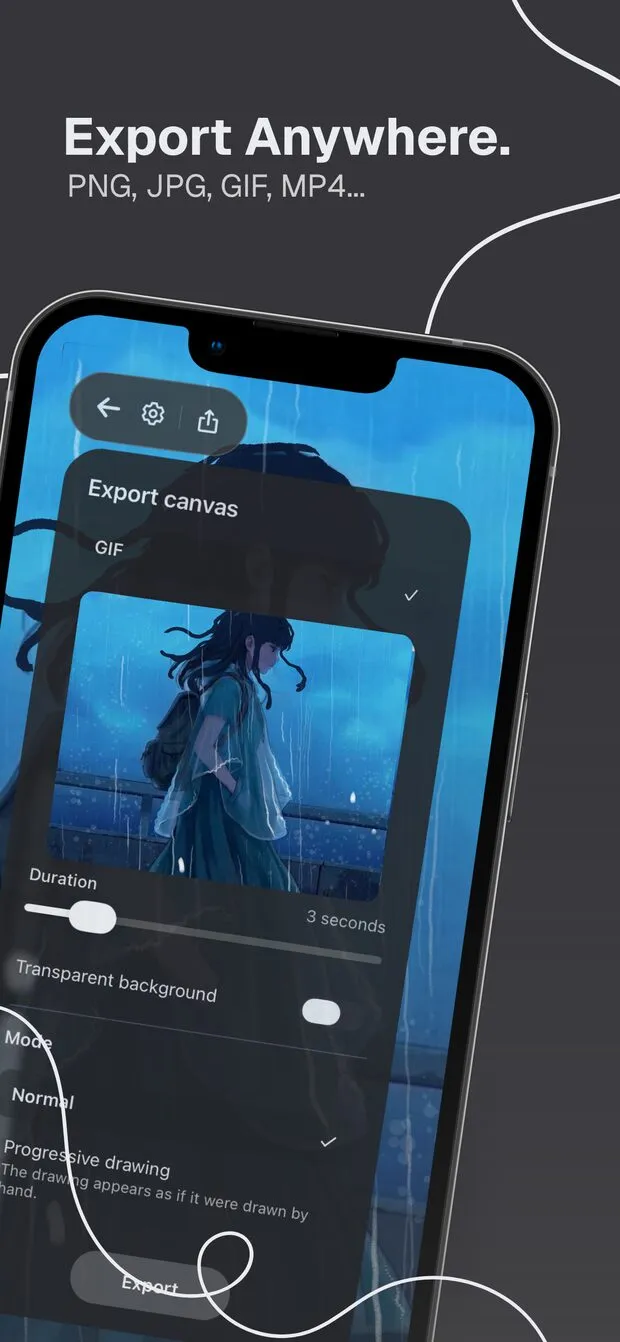
- What it does best: export. Doodraw exports still images as JPG or PNG, and animations as Animated PNG, GIF or MP4 (H.264, 30 fps). A “Transparent background” toggle for GIF and Animated PNG is available for free. Animated PNG keeps real 8-bit alpha, so soft edges stay clean on any background, which GIF cannot do. You pick a duration from 1 to 15 seconds and save to your gallery or share directly.
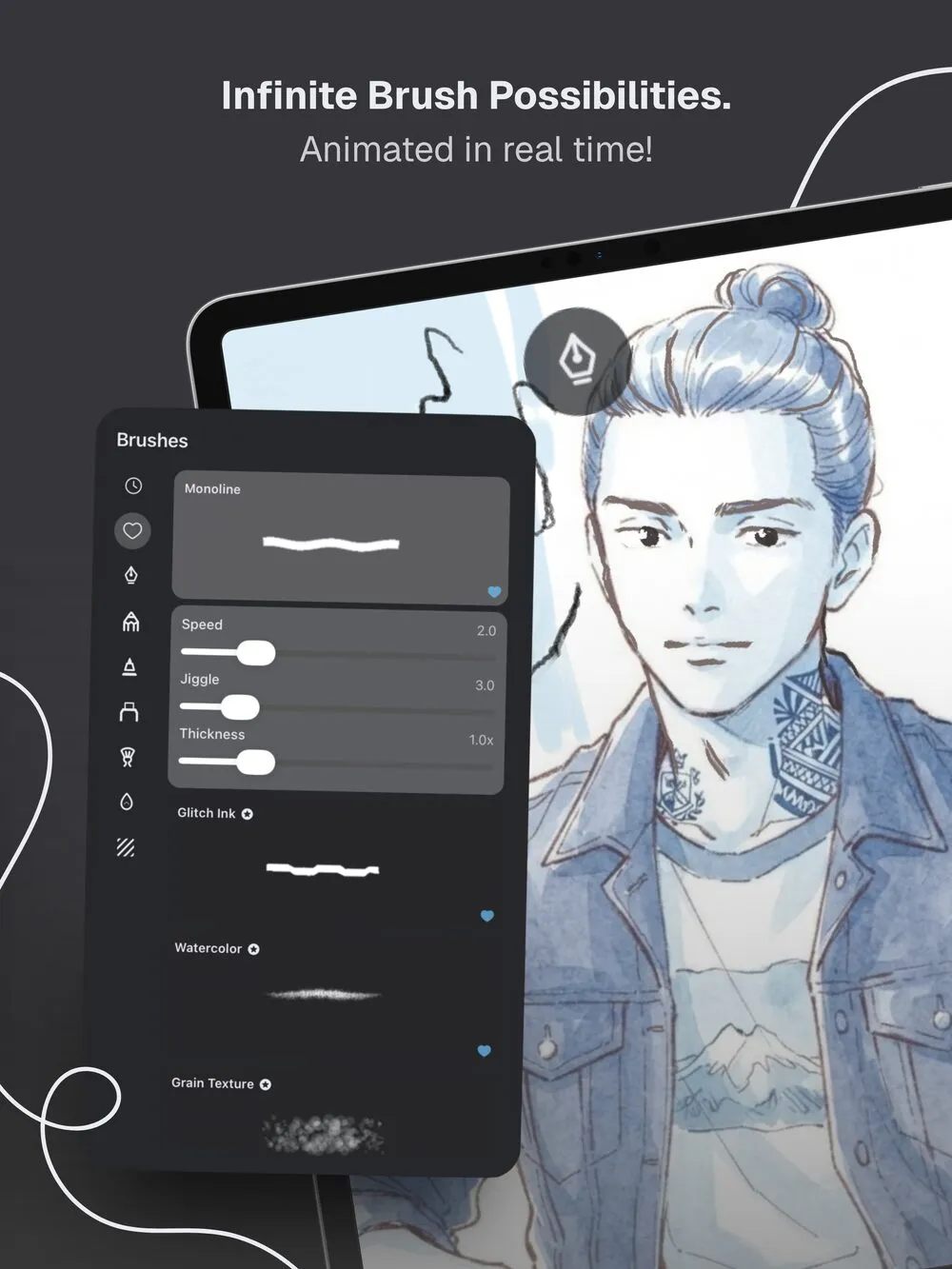
- Drawing tools: brushes with adjustable animation speed, jiggle and thickness, stabilization from 0 to 100%, layers that animate independently, and PNG import that keeps transparency. It works with a finger or a stylus.
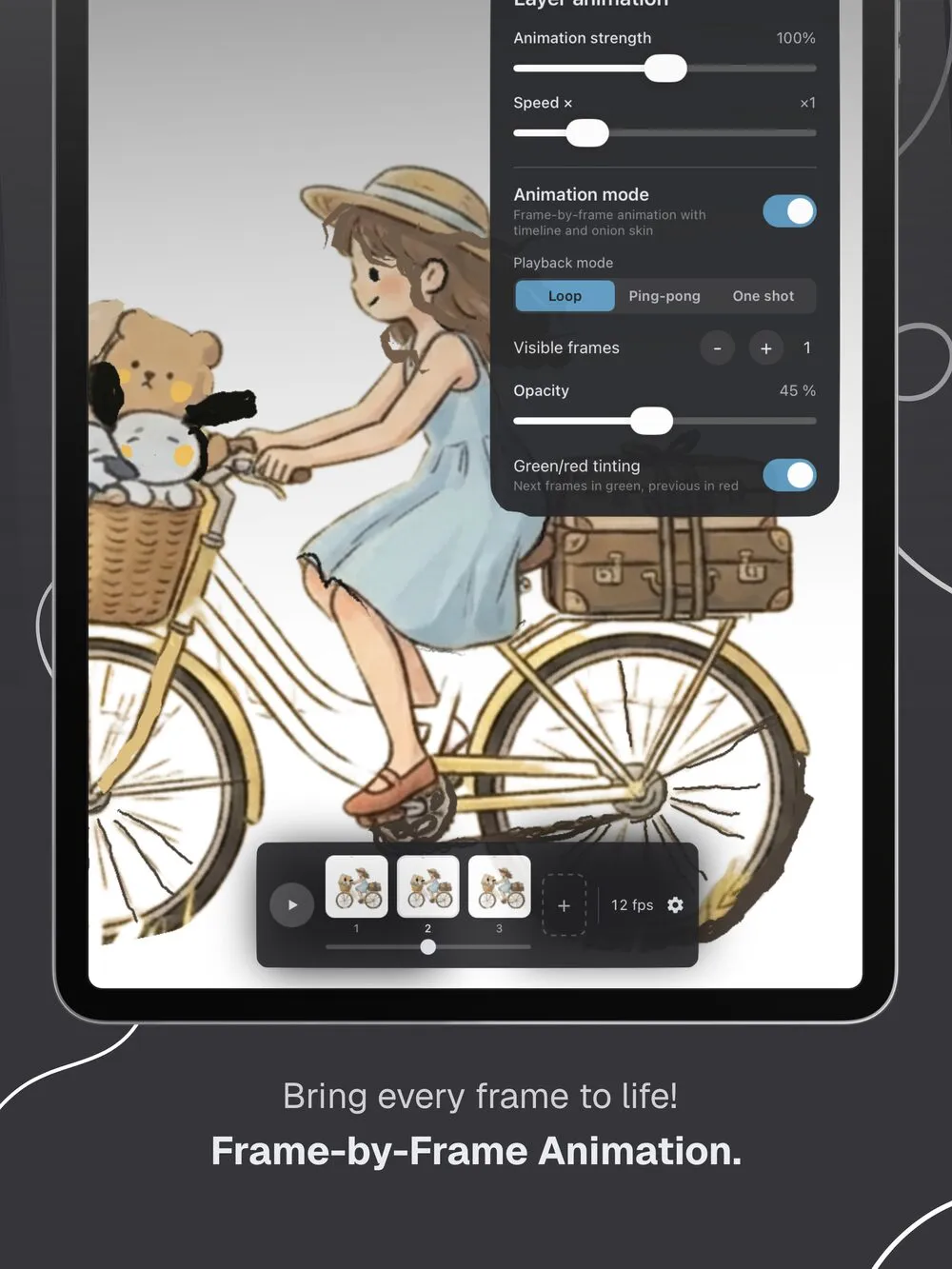
- Real limitation: free exports carry a watermark, and exports are capped at 15 seconds. The frame-by-frame assistant with onion skin is part of Doodraw Pro, not the free app.
- Price model: free to download, with Doodraw Pro available as a monthly, yearly or one-time lifetime purchase. Pro adds watermark-free exports, progressive drawing export (your drawing appears stroke by stroke), the frame-by-frame assistant, per-layer animation intensity and speed, and premium animated brushes.
- Best for: people who liked AmberDraw’s draw-and-it-moves approach but want transparent GIFs or a lifetime option, on any phone or tablet.
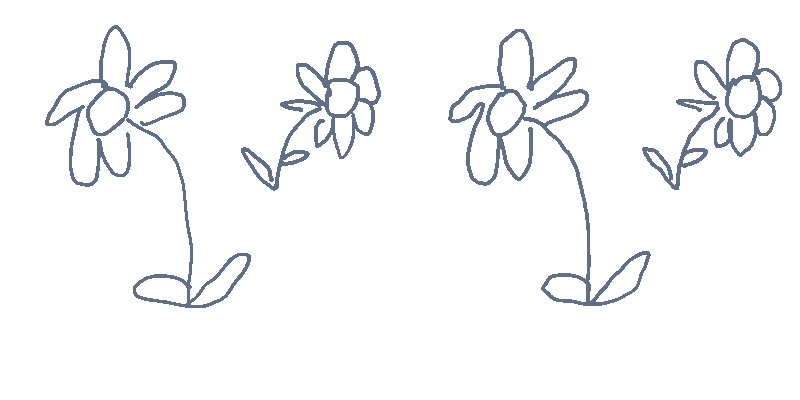
Doodraw is made by two French artists, and canvases full of animated strokes stay at 60 frames per second. There is no AI: every line is drawn by you.
Where AmberDraw still wins: it exports PNG sequences, which is handy if you composite frames in desktop software, and it has a Mac version.
2. MoveBrush: animated brushes with a one-time price, iPad only
MoveBrush, by Easyberry LLC, is the app most similar to AmberDraw in spirit. Its App Store listing describes 7 animated brush types, including Jitter, Sketch, Glow and Boil, plus a frame-by-frame timeline with onion skinning.
- Platforms: iPad (iPadOS 18.2 or later). There is no iPhone or Android version.
- What it does best: it combines animated brushes with real frame-by-frame tools, layers with blend modes and groups, and GIF export with a transparent background.
- Real limitation: the free tier includes 3 animated brushes, a 10-frame timeline and 5-second video exports. Longer videos (up to 60 seconds), all brushes and watermark removal need the upgrade.
- Price model: free, with a one-time Premium Unlock at $9.99 in the US App Store.
- Best for: iPad owners who do not want a subscription. We compare the two apps in detail in Doodraw vs MoveBrush.
3. FlipaClip: frame-by-frame animation for beginners
FlipaClip, by Visual Blasters LLC, is a classic flipbook-style animation app. Instead of animated brushes, you draw each frame on a timeline with onion skin, then play it back.
- Platforms: iPhone and iPad (iOS 15 or later), Android, and Chromebook according to flipaclip.com.
- What it does best: learning traditional animation. It has a timeline, onion skin, up to 10 layers, rotoscoping over imported photos or videos, and up to 6 free audio tracks for voice and music.
- Real limitation: nothing moves on its own. To get a boiling line look, you redraw the drawing on every frame. On Android, the free version includes 3 of the 10 layers and contains ads. According to the FlipaClip Knowledge Base, standard exports carry a FlipaClip watermark, and PNG sequence export is a premium feature.
- Export: MP4, GIF and PNG sequence, with a transparent background option for GIF and PNG sequence.
- Price model: free with in-app purchases. FlipaClip Plus is listed in the US App Store at several price points from $5.99 to $39.99.
- Best for: young animators and anyone who wants to learn frame-by-frame animation with sound. If you are coming the other way, see our FlipaClip alternatives guide.
4. WigglyPaint: free and in your browser
WigglyPaint is a drawing tool by Internet Janitor, built with Decker. Its itch.io page describes it as a “juicy, jiggly drawing program” with similarities to Shake Art and KidPix: pick a tool, make a doodle, crop it, and save a GIF.
- Platforms: any web browser, with mouse or touchscreen input. You can also save it as a standalone HTML file to use offline.
- What it does best: instant fun at no cost. The latest version, v1.6, came out in April 2026.
- Real limitation: there is no official iOS or Android app. The creator warns that WigglyPaint is only published on itch.io, their personal website and Newgrounds, so any paid app using the name is not official. Output is a GIF only.
- Price model: free.
- Best for: trying the wiggly look in five minutes, on a computer or tablet, without installing anything.
5. RoughAnimator: serious hand-drawn animation on every platform
RoughAnimator, by Jacob Kafka, is “made by an animator, for animators,” according to its App Store listing.
- Platforms: iPhone and iPad, Android, Mac and Windows, per roughanimator.com.
- What it does best: professional frame-by-frame work. It offers a timeline with unlimited layers and adjustable exposure for each drawing, onion skinning, custom brushes, audio import for lip syncing and video import for rotoscoping. Projects can be imported into Adobe Animate, After Effects and Toon Boom Harmony.
- Export: QuickTime video, GIF or image sequence.
- Real limitation: you pay before trying it on mobile (trials exist on Mac and Windows), and every movement is drawn by hand.
- Price model: $7.99 one-time, with no subscription.
- Best for: animators who want a real timeline on a budget, and who may move between tablet and desktop.
6. Procreate Dreams: the full animation studio for iPad
Procreate Dreams is an animation app from the makers of Procreate. According to procreate.com, it lets you draw, animate, edit and composite 2D animation and video, with frame-by-frame flipbook animation, keyframes, and motion you record live with touch.
- Platforms: iPad only, iPadOS 16.3 or later.
- What it does best: depth. It includes more than 300 brushes, multiple tracks, audio and video import, and the most complete export in this list. The Procreate Dreams Handbook lists MP4, GIF and PNG frames, plus HEVC and ProRes 4444 video with an alpha channel, and GIF transparency with an adjustable alpha threshold.
- Real limitation: no iPhone or Android version, and the extra power means more to learn than a draw-and-it-moves app.
- Price model: $12.99 one-time purchase, no subscription.
- Best for: iPad artists who want to grow from animated doodles into short films.
7. Looom: playful looping animation
Looom, by IORAMA AB, is a looping animation app inspired by music tools. Its App Store listing describes “threads” that loop independently in length and speed on an infinite, resolution-independent vector canvas.
- Platforms: iPhone and iPad (iOS 13 or later).
- What it does best: rhythmic, looping motion that feels like playing an instrument. It saves in SVG, which you can view in browsers and open in desktop animation software.
- Real limitation: the most recent version in the App Store history is 1.7.2, from November 2023, and the listing does not mention GIF or video export.
- Price model: $9.99 one-time.
- Best for: designers and animators who enjoy experimenting with loops and vectors.
How to choose the right AmberDraw alternative
Start from what you actually want to make:
- Animated stickers or overlays with a clean transparent background: Doodraw (GIF or Animated PNG) on any phone or tablet, or MoveBrush on iPad.
- The same “draw and it moves” feel, on Android: Doodraw.
- A free experiment with no install: WigglyPaint.
- Traditional frame-by-frame animation with sound: FlipaClip to start, RoughAnimator for more control.
- A complete animation studio on iPad: Procreate Dreams.
- Loops and vector output: Looom.
The quickest test is to draw the same doodle in two apps, export it, and check the file where you will actually use it.
FAQ
What is the best AmberDraw alternative?
Doodraw is the closest alternative: every stroke animates as you draw, it runs on iPhone, iPad and Android, and it exports GIF and Animated PNG with a transparent background for free (free exports carry a watermark). If you want to animate frame by frame instead, FlipaClip and RoughAnimator are better fits. On iPad, Procreate Dreams is the most complete animation studio.
Is there an AmberDraw alternative for Android?
Yes. Doodraw, FlipaClip and RoughAnimator are all on Google Play, and WigglyPaint runs in a web browser. Note that AmberDraw itself is also on Google Play as of September 2026, where its listing says GIF and PNG sequence export require a Pro subscription.
Which AmberDraw alternative exports GIFs with a transparent background?
Doodraw exports transparent GIF and Animated PNG files, and the transparent background toggle is free. MoveBrush exports transparent GIFs on iPad, FlipaClip offers a transparent background for GIF and PNG sequence export, and Procreate Dreams supports transparency in GIF, PNG sequences, HEVC and ProRes 4444 video.
Is there a free app like AmberDraw?
WigglyPaint is free and runs in your browser, with GIF export. Doodraw is free to download, and drawing, animating and exporting are free, with a watermark on free exports. MoveBrush has a free tier on iPad limited to 3 animated brushes, 10 frames and 5 second video exports.
Try Doodraw
If you want animated brushes, transparent GIFs and the same app on your phone and tablet, Doodraw is free to download on the App Store and Google Play. Get Doodraw and draw your first moving line in a few seconds.