Doodraw vs AmberDraw: Which Animated Brush App?
Doodraw and AmberDraw both animate your strokes the moment you draw them, with no timeline and no keyframes, so the core idea is the same. Doodraw gives you more for free (exporting GIF and Animated PNG with a transparent background, plus a frame-by-frame assistant in Pro), while AmberDraw is the better pick if you need PNG sequences for compositing or want to set your export frame rate. Below is a side by side comparison, with every AmberDraw detail checked on its App Store and Google Play listings as of September 2026.
This article was first published in February 2026. Since then AmberDraw has added iPhone support, GIF export and PNG sequence export, and an earlier version of this page overstated how long Doodraw exports can be. Everything below is up to date.
Doodraw vs AmberDraw at a glance
| Doodraw | AmberDraw | |
|---|---|---|
| How it animates | Motion built into every brush stroke | Motion built into every brush stroke |
| Frame-by-frame tools | Assistant with onion skin (Pro) | Not mentioned in store listings |
| Brush controls | Speed, jiggle, thickness, stabilization 0 to 100% | Speed, density, size, behaviour |
| Layers | Yes, each layer animated independently | Yes, with opacity and merge |
| Animation export | MP4, GIF, Animated PNG | MP4, GIF, PNG sequence |
| Transparent background | Yes, free, for GIF and Animated PNG | Not mentioned in store listings |
| Export length | 1 to 15 seconds | Adjustable, maximum not published |
| Export frame rate | Fixed (MP4 at 30 fps) | Adjustable (per Google Play listing) |
| Free exports | All formats, with a watermark | GIF and PNG sequence need Pro (per Google Play listing) |
| Platforms | iPhone, iPad (iOS 16.4+), Android | iPhone, iPad (iOS 17.0+), Android |
| Paid plans | Pro monthly, yearly or lifetime | Pro monthly or yearly |
AmberDraw rows reflect its official listings as of September 2026. Where a listing says nothing about a feature, the table says so rather than guessing.
How each app animates
Automatic motion in every stroke
This is where the two apps are closest. AmberDraw’s App Store listing describes itself as “a drawing app where the brushes themselves animate”, with motion “built into every single stroke”, and says plainly that there are no keyframes and no timelines. You draw a line and it wiggles, scatters, flows or pulses while you are still drawing.
Doodraw works the same way at its core. Every brush has motion built into the stroke, so a drawing is already animated when you lift your finger or stylus. With the same core idea, the choice comes down to details: brushes, export and price.
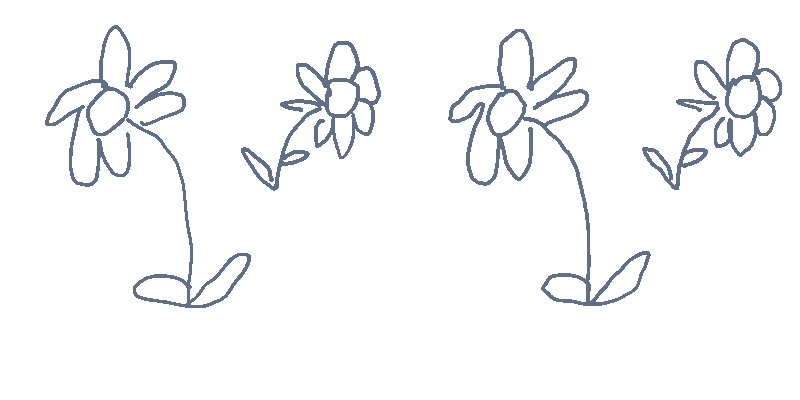
On the technical side, Doodraw runs on a rendering engine written by hand in Rust (about 20,000 lines) on wgpu, drawing directly on the device GPU. Canvases full of animated strokes stay at 60 frames per second. There is no AI in Doodraw: every line is drawn by you, and the engine only moves the strokes.
Frame-by-frame tools
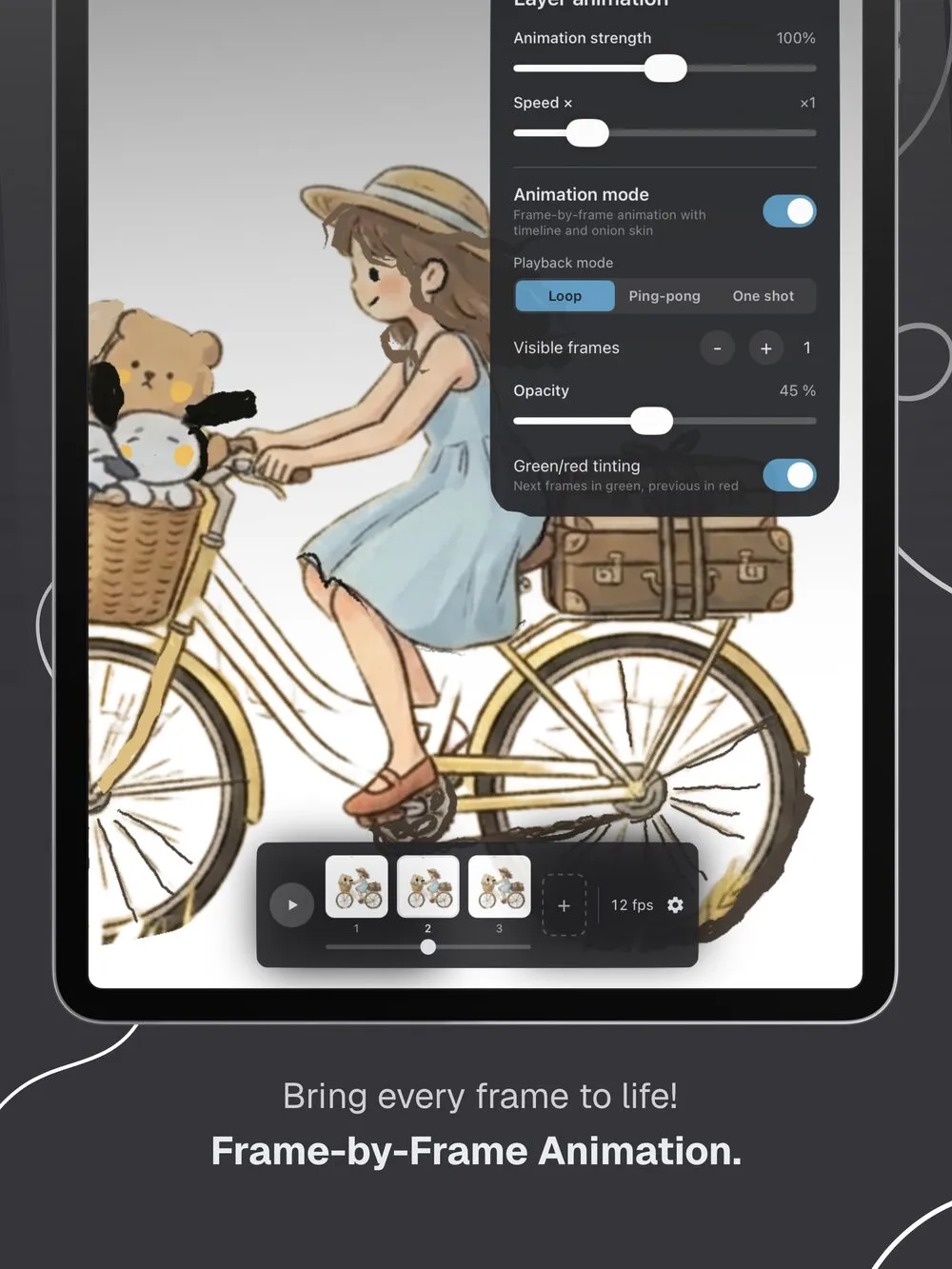
Automatic motion covers the hand-drawn “boiling line” look (read more in our guide to boiling lines animation), but sometimes you want to draw a small movement yourself: a blink, a wave, a bouncing ball.
Doodraw includes a frame-by-frame animation assistant for that, available with Doodraw Pro. It has onion skin (previous frames tinted red, next frames tinted green), adjustable visible frames and opacity, and three playback modes: Loop, Ping-pong and One shot.
AmberDraw’s store listings describe only brush-based motion and do not mention frame-by-frame drawing or onion skin as of September 2026. If you only want strokes that move on their own, that is not a drawback. If you want to mix automatic motion with a few hand-drawn frames, Doodraw covers both in one app.
Drawing and brushes
AmberDraw gives each brush its own motion character. Its App Store description names a few: Scribble “shakes with nervous energy”, Gradient flows like liquid, Particle explodes outward and Charcoal drifts like smoke. Its update notes over the past year added more, including Glitter, Polka dots, Faded and a Pencil brush with a grainy graphite look (August 2026). Brush settings cover speed, density, size and behaviour. The listing says Pro unlocks “the full brush library”, so some brushes are locked on the free plan. Neither listing gives a brush count.
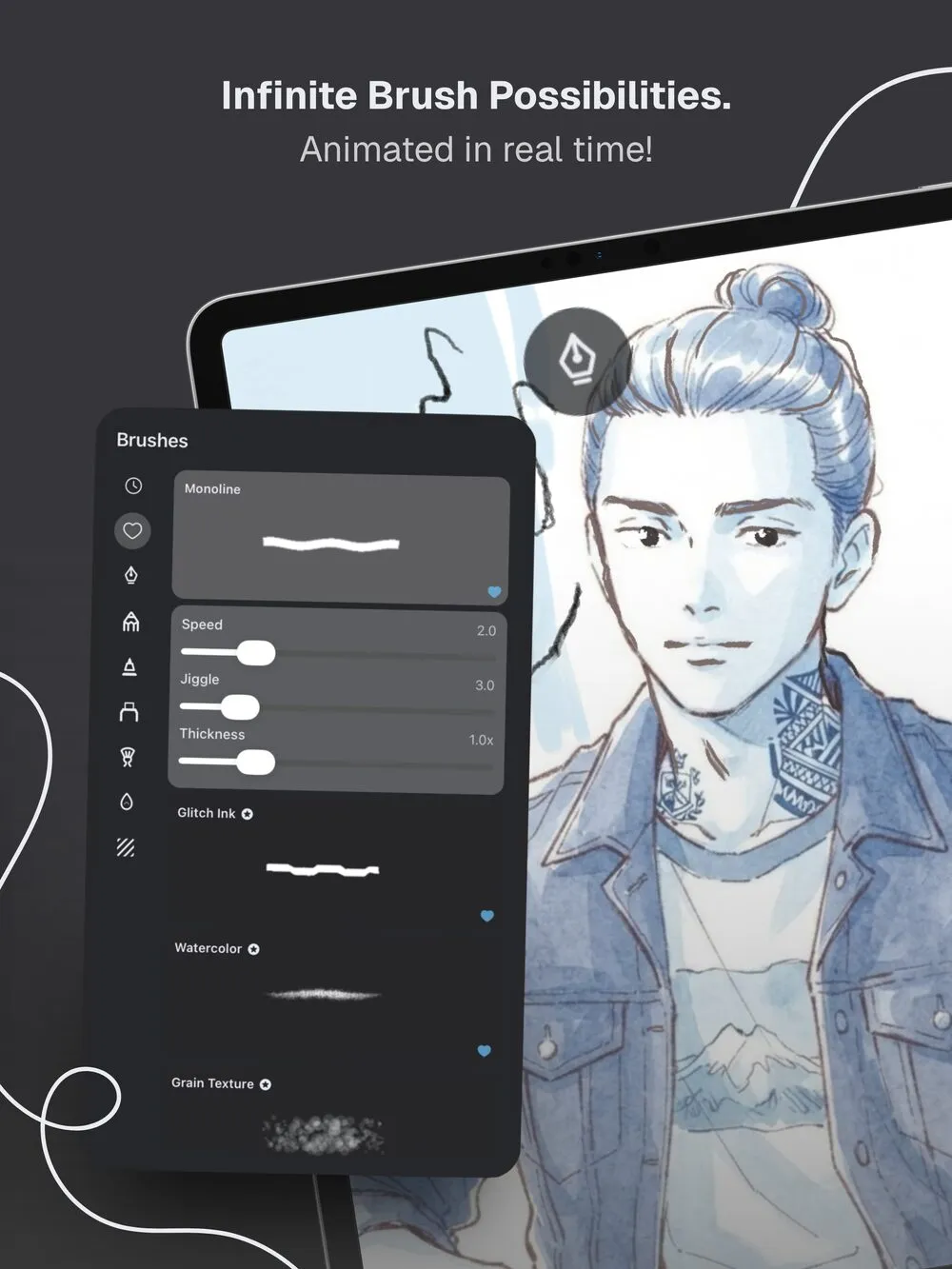
Doodraw groups its brushes into scribble, pencil, felt, marker, painting, watercolor and texture categories. 16 are free, and 10 premium animated brushes come with Doodraw Pro. One example is Frame Echo (Pro), which redraws every stroke three times with a slight offset, like stacked frames of hand-drawn animation. Each brush has sliders for animation speed, jiggle and thickness, and stabilization is adjustable from 0 to 100% on every brush and remembered per brush, which helps with clean lettering and line art.
Both apps work with a finger or a stylus. Both also let you ignore finger input: AmberDraw has an Apple Pencil-only drawing mode on iOS, and Doodraw has an “Apple Pencil only” setting on iOS and a “Stylus only” setting on Android.
Layers and control
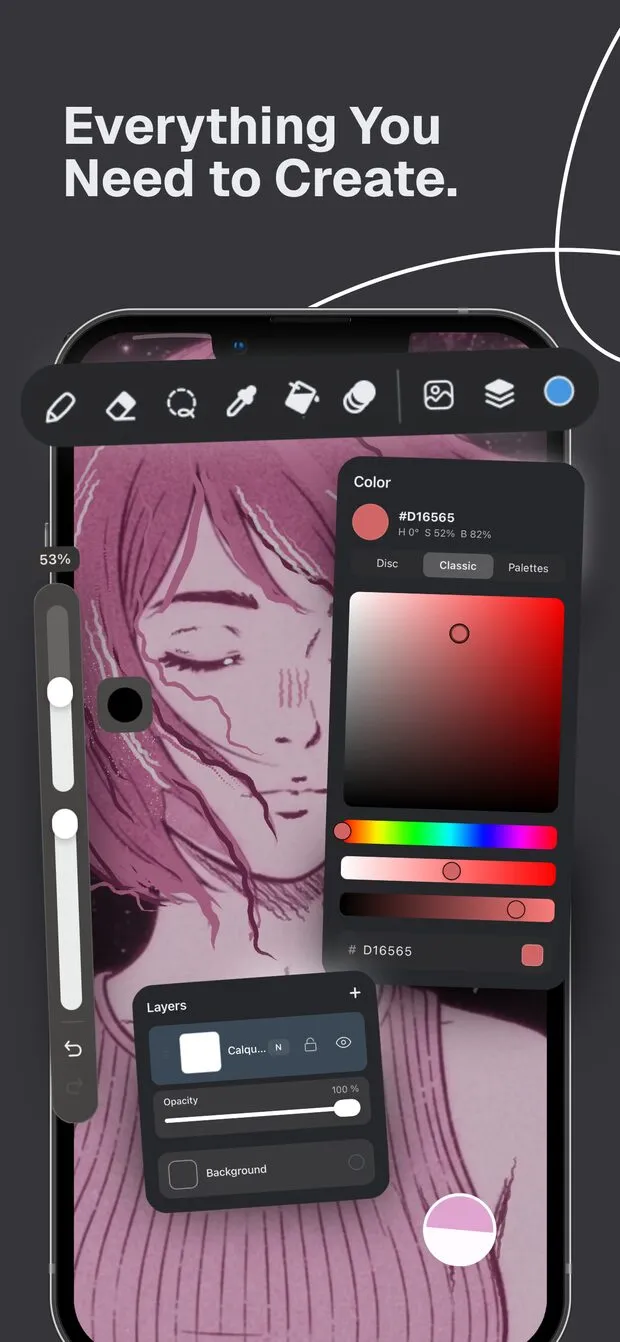
The earlier version of this article did not cover layers in detail, and AmberDraw has moved a lot here. According to its update history, AmberDraw added layers in 2025, then layer opacity and merging layers from the layers panel in 2026. Its listings also mention custom canvas dimensions, a background colour, an eyedropper, a transform tool to move and scale anything, image import, undo and redo, and saving multiple projects.
Doodraw has a flexible layer system where each layer can be animated independently. With Doodraw Pro you also get per-layer animation controls for intensity and speed, so a background can move gently while a character boils more strongly. Imported transparent PNGs keep their transparency and land on their own layer, which is handy for adding a logo or a sticker you drew elsewhere.
Both apps now cover the basics of layered illustration. Doodraw’s edge is animation control per layer.
Export
Export is where the two apps differ the most, and where the old version of this page was most out of date.
Formats
AmberDraw’s Google Play listing names three export formats: MP4 video, animated GIF and PNG sequence. On the App Store, GIF export arrived in April 2026 and PNG sequence export in May 2026, per the update history. A PNG sequence (one image per frame) is a real strength for people who composite in After Effects or other video tools, and AmberDraw’s listing is clearly written with that workflow in mind.
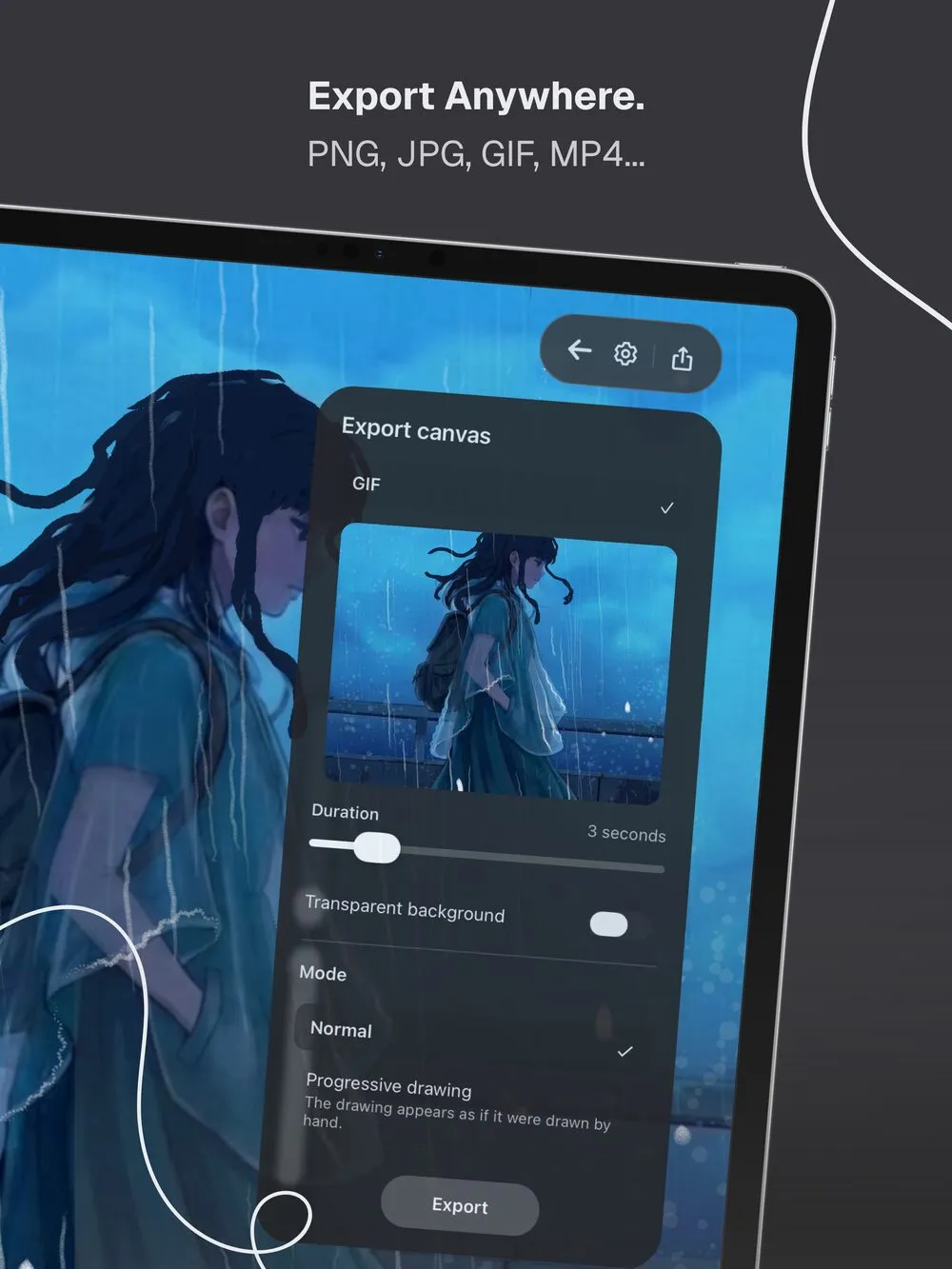
Doodraw exports animations as Animated PNG, GIF or MP4 (H.264, 30 fps), on both iOS and Android. Animated PNG is marked “Recommended” in the app because it is lossless and has real 8-bit alpha. You can also export a still image as JPG or PNG. Exports go to the share sheet or straight to your photo gallery, at up to 1080p. Doodraw does not export image sequences.
Transparency
Doodraw has a “Transparent background” toggle for GIF and Animated PNG, and it is free. GIF transparency is on or off per pixel, so soft, anti-aliased edges can look jagged on a colored background. Animated PNG avoids that, which makes it the better choice for animated stickers and overlays. A still PNG is transparent when you turn off the canvas background.
AmberDraw’s official listings do not mention transparent backgrounds for any format as of September 2026. PNG as a format can hold transparency, but we could not confirm from an official page that AmberDraw’s PNG sequences do, so check inside the app if you need it.
Length, frame rate and watermark
Doodraw’s duration slider goes from 1 to 15 seconds. The frame rate is fixed (MP4 at 30 fps). Free exports carry a watermark, and Doodraw Pro removes it. Pro also adds Progressive drawing export, where the drawing appears stroke by stroke as if drawn by hand.
AmberDraw’s Google Play listing says you can set the duration and the frame rate of your export, which gives you more control than Doodraw here. Neither AmberDraw listing states a maximum length, and neither says whether free exports carry a watermark. The Google Play listing does say that GIF and PNG sequence export are unlocked with Pro, which means free Android users can export MP4 only. The App Store listing does not spell out which export formats are free on iPhone and iPad.
For a closer look at getting GIFs out of a phone, see our guide to making a GIF from a drawing on your phone.
Platforms
The earlier version of this article said AmberDraw was iOS only. That is no longer true.
- AmberDraw is on the App Store for iPad and, since a redesign in February 2026, iPhone. It requires iOS or iPadOS 17.0 or later. It is also on Google Play, published by the same developer, Mykyta Gaidukov, where the listing shows more than 5,000 downloads and an update in August 2026.
- Doodraw is on the App Store for iPhone and iPad (iOS 16.4 or later) and on Google Play for Android.
If you have an older iPhone or iPad that cannot run iOS 17, Doodraw is the one of the two that will install.
Pricing
Both apps are free to download and both sell an optional Pro upgrade. The models differ in what is free and in how you can pay.
AmberDraw (as of September 2026): the US App Store lists two in-app purchases, Pro Monthly at $1.99 and Pro Yearly at $9.99. Google Play shows the same $1.99 to $9.99 range and says Pro starts with a free trial and renews automatically. Pro unlocks the full brush library and, per the Google Play listing, GIF and PNG sequence export. No one-time purchase is listed. Those are low prices for a creative app, and that is a genuine point in AmberDraw’s favor.
Doodraw: drawing, animating and exporting are free, including GIF, Animated PNG, MP4 and transparent backgrounds. Free exports carry a watermark. Doodraw Pro is available as a monthly plan, a yearly plan or a one-time lifetime purchase, and adds watermark-free exports, Progressive drawing export, the frame-by-frame assistant, per-layer animation controls and 10 premium animated brushes. Prices vary by country, so check the store for yours.
If you dislike subscriptions, Doodraw’s lifetime option is the main difference. If you are happy to subscribe and want the lowest listed monthly price, AmberDraw is hard to beat.
Who each app is for
Choose AmberDraw if
- You composite in After Effects or another video tool and want PNG sequences.
- You want to set the frame rate of your export.
- You like AmberDraw’s specific brush looks, such as Particle, Gradient or Glitter.
- You are fine with a subscription and want a low monthly or yearly price.
- You want custom canvas dimensions called out as a feature.
Choose Doodraw if
- You want transparent GIF or Animated PNG export without paying.
- You make animated stickers or overlays and need clean soft edges (Animated PNG).
- You want frame-by-frame animation with onion skin next to automatic motion.
- You want stabilization on every brush for lettering and line art.
- You prefer a one-time lifetime purchase over a subscription.
- Your iPhone or iPad runs iOS 16.4 but not iOS 17.
Verdict
Doodraw and AmberDraw share the same idea, and both are well suited to wiggly, hand-drawn motion without learning animation software. AmberDraw is the stronger choice for compositing workflows thanks to PNG sequence export and an adjustable frame rate, and its subscription is inexpensive. Doodraw is the stronger choice if you want to share animations for free, need transparent GIF or Animated PNG files, or want frame-by-frame tools and a lifetime option.
Doodraw is made by two French artists, and you can read more about us on the about page. If you are still weighing options, our list of AmberDraw alternatives covers more apps, and our Doodraw vs MoveBrush comparison looks at another animated drawing app.
FAQ
Is Doodraw or AmberDraw better for beginners?
Both apps animate your strokes as you draw, with no timeline or keyframes, so both are easy to start. Doodraw lets you draw, animate and export for free, with a watermark on free exports. AmberDraw’s Google Play listing says GIF and PNG sequence export are Pro features, so a beginner who wants to share GIFs without paying will get further with Doodraw.
Can I export animated stickers with a transparent background from Doodraw or AmberDraw?
Doodraw can: its free Transparent background toggle works for GIF and Animated PNG, and Animated PNG keeps soft edges clean on any background. AmberDraw exports MP4, GIF and PNG sequences, but as of September 2026 neither of its official store listings mentions transparent backgrounds, so test it in the app before you count on it.
Are Doodraw and AmberDraw free?
Both are free to download. In Doodraw, drawing, animating and exporting are free, and free exports carry a watermark. Doodraw Pro (monthly, yearly or lifetime) removes it and adds more tools. AmberDraw sells Pro Monthly and Pro Yearly subscriptions, listed at $1.99 and $9.99 on the US App Store as of September 2026. AmberDraw Pro unlocks the full brush library and, per its Google Play listing, GIF and PNG sequence export.
Is AmberDraw available on Android?
Yes. As of September 2026, AmberDraw: Animated Drawing by Mykyta Gaidukov is on Google Play as well as on the App Store for iPhone and iPad. Doodraw is on both stores too: iPhone and iPad (iOS 16.4 or later) and Android.
Which app exports PNG sequences for After Effects?
AmberDraw does. Its store listings name PNG sequence export next to MP4 and GIF, which is useful if you composite frames in After Effects. Doodraw does not export image sequences: it exports MP4, GIF and Animated PNG, with a transparent background option for GIF and Animated PNG.
Try Doodraw
Doodraw is free on iPhone, iPad and Android. Draw a line, watch it move, and export your first animation. Get Doodraw.