Best FlipaClip Alternatives in 2026 (iPhone, iPad & Android)
FlipaClip is the app most people learn animation on, and the reason most people leave it is the same: you draw every single frame yourself. If you want the motion without that workload, Doodraw is the closest alternative, because every stroke animates the moment you draw it, on iPhone, iPad and Android. If you want to stay frame by frame but with more control, fewer ads and no watermark, RoughAnimator and Procreate Dreams are the two serious picks.
All prices and features below are as of September 2026, checked on each app’s official store listing, help centre or website.
What FlipaClip does (as of September 2026)
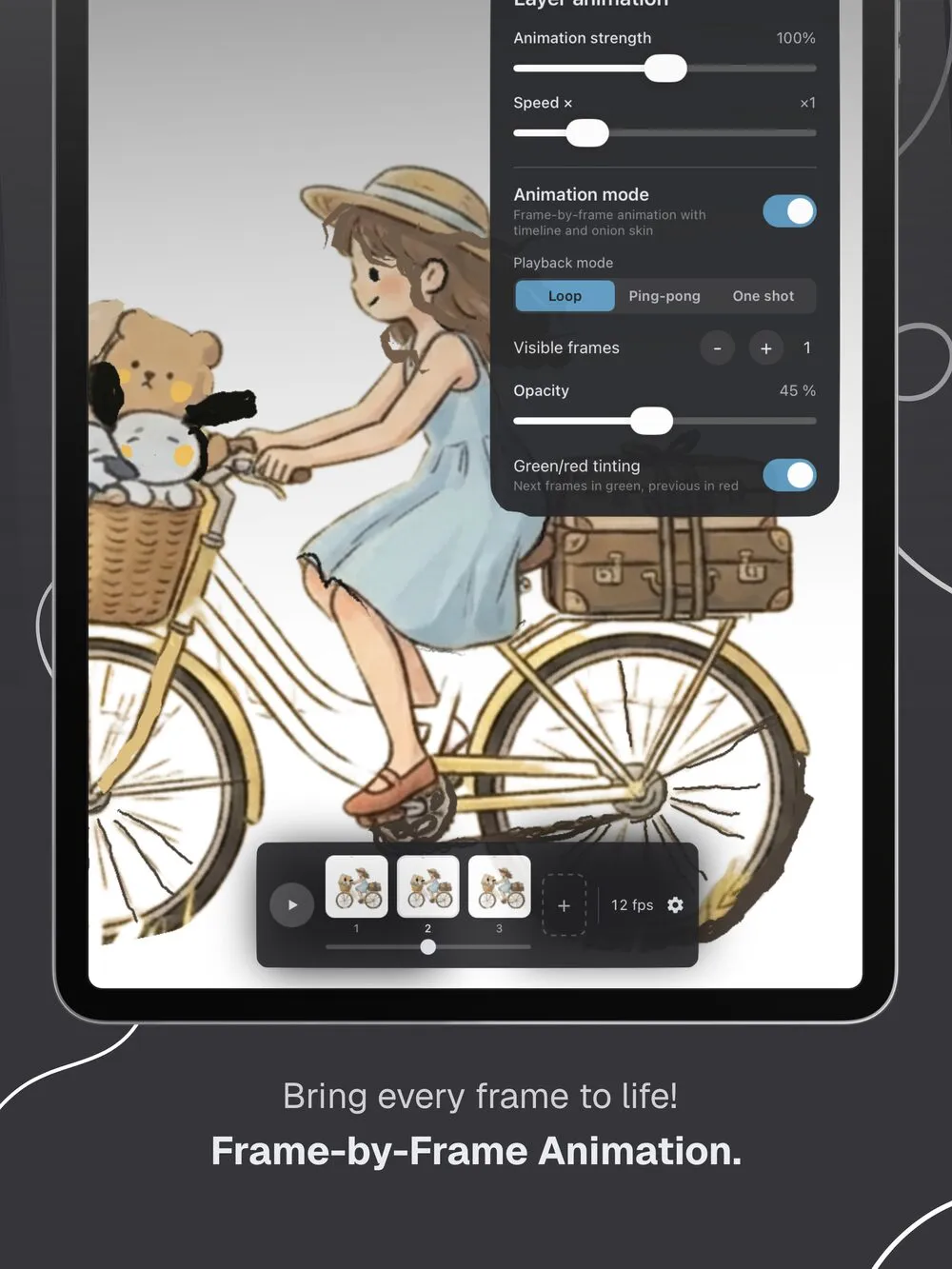
FlipaClip, by Visual Blasters LLC, is a flipbook style animation app with more than 50 million downloads on Google Play, where it won Best for Chromebooks in Google Play’s Best of 2023. You draw each frame on a timeline, with onion skin to line the drawings up, then play the result back.
Here is what the official sources confirm:
- Platforms: iPhone, iPad and iPod touch (iOS 15 or later), Macs with Apple silicon and Apple Vision Pro per its App Store listing, plus Android and Chromebook.
- Tools: a frame timeline with onion skin, up to 10 layers, six audio tracks, Apple Pencil support, grid settings, rotoscoping over imported video, and a Magic Cut tool that lifts an image out of its background.
- Export: MP4, GIF and PNG sequence. According to the FlipaClip Knowledge Base, a transparent background is available for GIF and PNG sequence only, and PNG sequence is a premium feature.
- Price model: free to download with ads. Exports carry a FlipaClip logo unless you subscribe. FlipaClip Plus removes the ads and the watermark and adds audio import, video import of any length, canvas sizes up to 1920x1920, onion skin controls, the audio library, extra brushes and Voice Maker. The US App Store lists in-app purchases at several price points from $5.99 to $39.99.
FlipaClip is genuinely good at what it does. The question is whether drawing every frame is what you actually want.
Why people look for a FlipaClip alternative
- Every frame is manual. A two second loop at 12 fps is 24 drawings. For a wiggling line or a breathing doodle, that is a lot of work for a small effect.
- Ads in the free app. They appear around entering projects, playback and image import.
- The watermark. It sits on your exports until you pay, and it is not discreet.
- Transparent export costs money. The transparent PNG sequence is behind FlipaClip Plus, which matters if you make animated stickers or overlays.
- Canvas ceiling. Custom canvas sizes top out at 1920x1920.
- Too much app. Timeline, layers, audio tracks and onion skin are a lot of interface if you only wanted a doodle that moves.
FlipaClip alternatives compared
| App | Platforms | Animation style | Export formats | Transparent export | Price model |
|---|---|---|---|---|---|
| FlipaClip | iPhone, iPad, Android, Chromebook, Mac | Frame-by-frame | MP4, GIF, PNG sequence | Yes, GIF and PNG sequence (PNG sequence is premium) | Free with ads, FlipaClip Plus |
| Doodraw | iPhone, iPad, Android | Automatic, plus frame-by-frame assistant (Pro) | MP4, GIF, Animated PNG, PNG, JPG | Yes, GIF and Animated PNG (free) | Free with watermark, Pro monthly, yearly or lifetime |
| RoughAnimator | iPhone, iPad, Android, Mac, Windows | Frame-by-frame | QuickTime video, GIF, image sequence | Not stated | $7.99 one-time |
| Procreate Dreams | iPad | Frame-by-frame and keyframes | MP4, GIF, PNG frames, HEVC, ProRes | Yes | $12.99 one-time |
| AmberDraw | iPhone, iPad, Android, Mac | Automatic (animated brushes) | MP4, GIF, PNG sequence | Not mentioned in listings | Free, Pro subscription |
| MoveBrush | iPad | Automatic brushes plus frame-by-frame | MP4, GIF | Yes, GIF | Free tier, $9.99 one-time |
| Looom | iPhone, iPad | Looping frame-by-frame | SVG | Not stated | $9.99 one-time |
| WigglyPaint | Web browser | Automatic wiggle | GIF | Not stated | Free |
“Frame-by-frame” means you draw every step of the motion yourself, the way FlipaClip works. “Automatic” means the app moves your lines for you. Our guide to boiling lines animation explains the effect that most animated brush apps imitate, and that FlipaClip users redraw by hand.
The best FlipaClip alternatives, one by one
1. Doodraw: the same result without drawing every frame
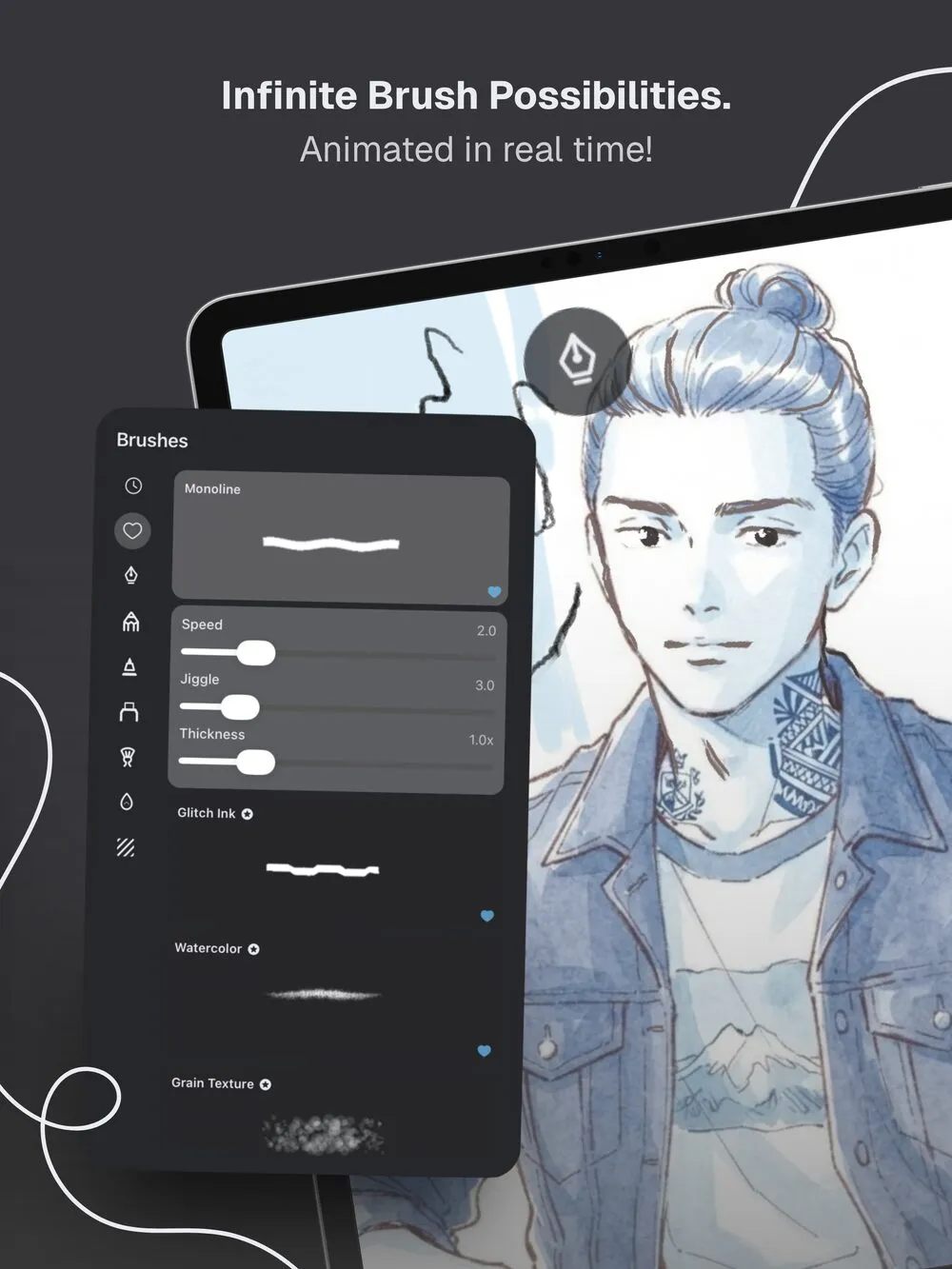
Doodraw is a drawing app where every stroke animates the moment you draw it. Each brush carries its own motion, so there is no timeline to fill and no frames to redraw. A doodle that would take you 24 drawings in FlipaClip takes one stroke here.
- Platforms: iPhone and iPad (iOS 16.4 or later) and Android.
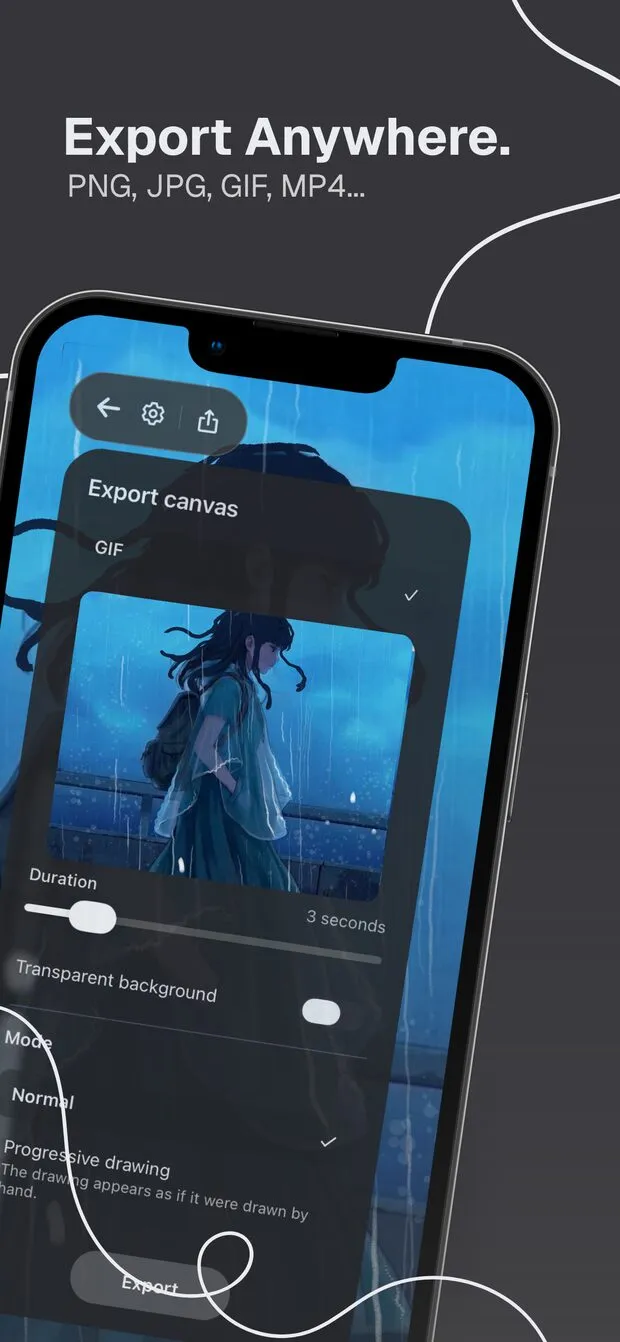
- What it does best: export. Still images save as JPG or PNG, animations as Animated PNG, GIF or MP4 (H.264, 30 fps). The “Transparent background” toggle for GIF and Animated PNG is free, unlike FlipaClip’s premium PNG sequence. Animated PNG keeps real 8-bit alpha, so soft edges stay clean on any background, which GIF cannot do. You pick a duration from 1 to 15 seconds and save or share straight away.
- Drawing tools: brushes with adjustable animation speed, jiggle and thickness, stabilization from 0 to 100%, layers that animate independently, and PNG import that keeps transparency. Finger or stylus.
- Frame by frame too: if you still want manual control for a specific shot, Doodraw Pro includes a frame-by-frame assistant with onion skin, so you are not giving up the FlipaClip way of working, you are just no longer forced into it.
- Real limitation: free exports carry a watermark, and exports are capped at 15 seconds. Long narrative animations with dialogue are still FlipaClip or RoughAnimator territory.
- Price model: free to download. Doodraw Pro comes as a monthly, yearly or one-time lifetime purchase, and adds watermark-free exports, progressive drawing export (your drawing appears stroke by stroke), the frame-by-frame assistant, per-layer animation intensity and speed, and premium animated brushes.
- Best for: anyone who opened FlipaClip to make a doodle move and closed it when they counted the frames.
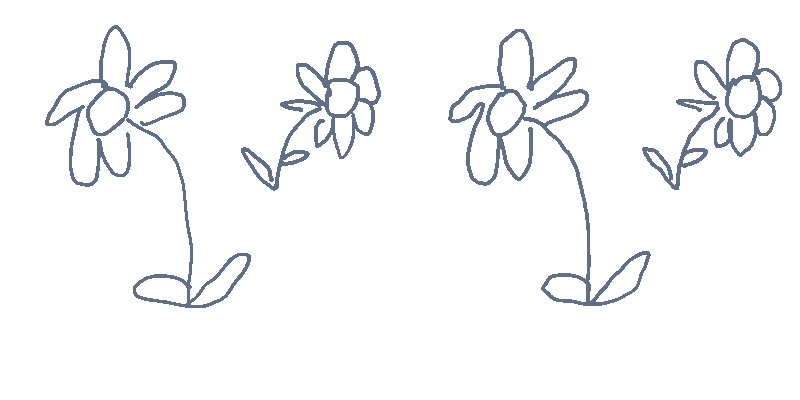
Doodraw is made by two French artists, and canvases full of animated strokes stay at 60 frames per second. There is no AI: every line is drawn by you.
Where FlipaClip still wins: audio. Doodraw has no sound tracks, no voice recording and no lip sync, so if your animation needs a soundtrack, keep FlipaClip for that project.
2. RoughAnimator: frame by frame, done properly, with no ads
RoughAnimator, by Jacob Kafka, is “made by an animator, for animators,” according to its App Store listing. It is the natural step up for someone who likes FlipaClip’s workflow but has outgrown it.
- Platforms: iPhone and iPad, Android, Mac and Windows, per roughanimator.com. The same project moves between tablet and desktop.
- What it does best: a real timeline with unlimited layers and adjustable exposure for each drawing, onion skinning, custom brushes, audio import for lip syncing and video import for rotoscoping. Projects import into Adobe Animate, After Effects and Toon Boom Harmony.
- Export: QuickTime video, GIF or image sequence.
- Real limitation: you pay before trying it on mobile (trials exist on Mac and Windows), and you are still drawing every frame by hand.
- Price model: $7.99 one-time, no subscription, no ads, no watermark.
- Best for: FlipaClip users who want to go further and stop paying a subscription to remove a logo.
3. Procreate Dreams: the full animation studio on iPad
Procreate Dreams, from the makers of Procreate, lets you draw, animate, edit and composite 2D animation and video, according to procreate.com. It has frame-by-frame flipbook animation like FlipaClip, plus keyframes and motion you record live with touch.
- Platforms: iPad only, iPadOS 16.3 or later.
- What it does best: depth. More than 300 brushes, multiple tracks, audio and video import, and the most complete export in this list. The Procreate Dreams Handbook lists MP4, GIF and PNG frames, plus HEVC and ProRes 4444 video with an alpha channel, and GIF transparency with an adjustable alpha threshold.
- Real limitation: no iPhone or Android version, and it is a bigger app to learn than FlipaClip.
- Price model: $12.99 one-time purchase, no subscription.
- Best for: iPad artists making real short films rather than loops.
4. AmberDraw: animated brushes on iPhone, iPad, Android and Mac
AmberDraw, by Mykyta Gaidukov, puts the motion inside the brush: you draw a line and it wiggles, scatters or pulses right away. Its App Store listing describes brushes like Scribble, Gradient, Particle and Charcoal, each with adjustable speed, density, size and behaviour.
- Platforms: iPhone and iPad (iOS 17 or later), Apple silicon Macs, and Android through Google Play.
- What it does best: a Mac version and PNG sequence export, which is useful if you composite frames in desktop software.
- Real limitation: its own Android listing states “There’s no timeline and no keyframing,” so it replaces FlipaClip’s workflow rather than extending it, and neither listing mentions a transparent background option. On Android, GIF and PNG sequence export require Pro.
- Price model: free with a Pro subscription, $1.99 per month or $9.99 per year in the US App Store, with no one-time option.
- Best for: people who want animated brushes and also work on a Mac. We line the two apps up in Doodraw vs AmberDraw, and list more of them in AmberDraw alternatives.
5. MoveBrush: animated brushes plus a timeline, iPad only
MoveBrush, by Easyberry LLC, is the closest thing to a hybrid. Its App Store listing describes 7 animated brush types, including Jitter, Sketch, Glow and Boil, alongside a frame-by-frame timeline with onion skinning.
- Platforms: iPad (iPadOS 18.2 or later). No iPhone or Android version.
- What it does best: animated brushes and real frame-by-frame tools in one app, with layers, blend modes, groups and transparent GIF export.
- Real limitation: the free tier is capped at 3 animated brushes, a 10-frame timeline and 5 second video exports.
- Price model: free, with a one-time Premium Unlock at $9.99 in the US App Store.
- Best for: iPad owners who want both workflows and refuse subscriptions. See Doodraw vs MoveBrush for the detail.
6. Looom: loops that feel like playing an instrument
Looom, by IORAMA AB, is a looping animation app built around “threads” that loop independently in length and speed, on an infinite vector canvas, according to its App Store listing.
- Platforms: iPhone and iPad (iOS 13 or later).
- Real limitation: the most recent version in the App Store history is 1.7.2, from November 2023, and the listing does not mention GIF or video export. It saves SVG.
- Price model: $9.99 one-time.
- Best for: rhythmic loops and vector output, if you find FlipaClip’s timeline mechanical.
7. WigglyPaint: free, in a browser, nothing to install
WigglyPaint is a drawing tool by Internet Janitor, built with Decker. Its itch.io page calls it a “juicy, jiggly drawing program”: pick a tool, doodle, crop, save a GIF.
- Platforms: any web browser, with mouse or touchscreen. It can be saved as a standalone HTML file for offline use.
- Real limitation: no official iOS or Android app, and GIF is the only output. The creator warns that any paid app using the name is not official.
- Price model: free.
- Best for: five minutes of trying the wiggly look before committing to anything.
How to choose your FlipaClip alternative
Pick by what frustrated you:
- Drawing every frame takes too long: Doodraw on any phone or tablet, AmberDraw if you need a Mac, MoveBrush on iPad.
- Ads and the watermark: RoughAnimator or Procreate Dreams, both one-time purchases, or Doodraw Pro’s lifetime option.
- Transparent stickers and overlays: Doodraw, where the transparent GIF and Animated PNG toggle is free.
- You want more power, not less: RoughAnimator for a real timeline across tablet and desktop, Procreate Dreams for a full studio on iPad.
- Your animation needs sound: stay on FlipaClip, or move to RoughAnimator or Procreate Dreams. Animated brush apps have no audio.
- Nothing installed, no money spent: WigglyPaint.
The fastest way to decide is to make the same short loop in two apps and check the exported file where you will actually post it. Our guide on turning a drawing into a GIF on your phone walks through that in a few minutes, and the best drawing apps for iPad covers the wider picture if you also draw stills.
FAQ
What is the best FlipaClip alternative?
It depends on how much work you want to do. If you want motion without drawing every frame, Doodraw is the closest fit: every stroke animates as you draw it, on iPhone, iPad and Android, with free transparent GIF and Animated PNG export. If you want to keep animating frame by frame with more control, RoughAnimator is the better pick, and Procreate Dreams is the most complete studio on iPad.
Is there a FlipaClip alternative without ads or a watermark?
RoughAnimator ($7.99 one-time) and Procreate Dreams ($12.99 one-time) have no ads and no watermark. Doodraw is free to download with a watermark on free exports, and Doodraw Pro removes it with a monthly, yearly or one-time lifetime purchase, so you can avoid a subscription.
Is there a FlipaClip alternative for Android?
Yes. Doodraw, RoughAnimator and AmberDraw are all on Google Play, and WigglyPaint runs in any mobile browser. Procreate Dreams, MoveBrush and Looom are Apple only.
Which FlipaClip alternative exports a transparent background for free?
Doodraw. Its transparent background toggle for GIF and Animated PNG is free, while FlipaClip puts transparent PNG sequence export behind FlipaClip Plus. Animated PNG keeps real 8-bit alpha, so soft edges stay clean on any background.
Is FlipaClip free?
FlipaClip is free to download and includes ads. Exports carry a FlipaClip logo by default, and removing it requires FlipaClip Plus, listed in the US App Store at several price points from $5.99 to $39.99. Plus also unlocks audio import, video import of any length, custom canvas sizes up to 1920x1920 and PNG sequence export.
Try Doodraw
If you liked animating but not redrawing 24 frames for a two second loop, Doodraw is free to download on the App Store and Google Play. Get Doodraw and watch your first line start moving on its own.