Best WigglyPaint Alternative for iPhone and Android in 2026
WigglyPaint has no official iPhone or Android app, and its creator says so plainly. If you want the same live, wobbly line boil in a native app on your phone or tablet, Doodraw is the closest alternative: every stroke animates the moment you draw it, on iPhone, iPad and Android, with layers, full color and transparent export. If you are happy in a browser, the real WigglyPaint is free, loved for good reasons, and still worth opening first.
All facts about WigglyPaint and the other apps below are as of September 2026, checked on WigglyPaint’s itch.io page, its devlog, the creator’s own article on WigglyPaint and each app’s official store listing.
What WigglyPaint is (as of September 2026)
WigglyPaint is a drawing program by John Earnest, who publishes on itch.io as Internet Janitor. He released it in December 2023. Its itch.io page calls it “a juicy, jiggly drawing program built with Decker, with notable similarities to Shake Art and KidPix”: pick a tool, make a doodle, crop it, and save a GIF.
Decker is a multimedia platform for making interactive documents, with painting tools, scripting and the ability to save a whole project as one self-contained HTML file. That is why WigglyPaint runs anywhere a browser does, and why you can open it up and change it.
After about a year of quiet use, WigglyPaint went viral among artists on Asian social media, and its creator writes that it went from a few hundred users to millions internationally. On itch.io it is rated 4.9 out of 5 from more than 2,000 ratings.
How the wiggle works
The creator explains the trick in Some Words on WigglyPaint. WigglyPaint keeps three image buffers and draws into all of them at once, with a different random offset, brush shape or size applied to each. It then cycles through the three at roughly 12 frames per second, a classic speed for limited animation. He found three frames to be the sweet spot: two frames jitter unpleasantly, and more than three add little.
That is the line boil effect animators used to get by tracing the same drawing several times. Our guide to boiling lines animation goes deeper into where it comes from and how to make it by hand.
What WigglyPaint gives you
- Platforms: any web browser, on computer or phone, with mouse or touchscreen input. You can use “File, Save As…” to download a standalone HTML file and keep it offline forever, or run it inside Decker for better performance.
- Colors: five at a time: lineart, background and three “markers”, chosen from a range of preset palettes. You can set up custom palettes, and since version 1.5 there is a slider color picker.
- Layers, the WigglyPaint way: there is no layer panel. Instead, markers always draw underneath lineart, which gives you the “color under the lines” result without managing layers.
- Undo: a single “Oops!” button that undoes, then redoes, your last action. The creator chose one level on purpose, to keep you moving forward.
- Tools: several drawing tools with their own personality, marker brush shapes and sizes, a configurable eraser, stroke mirroring (horizontal, vertical or both), and an “Alter” panel to crop, un-crop, shift, flip or invert your drawing.
- Export: animated GIF. Since version 1.1, a “Transparency Mask” mode lets you draw and save partially transparent GIFs.
- Price and license: free, with no ads. The code is under the MIT License and the assets are CC0. The creator writes that WigglyPaint “is and always will be free”.
- Latest version: v1.6, released April 6, 2026.
WigglyPaint’s design is deliberately limited: good defaults, a few strong choices, nothing to configure for hours. Many artists love it exactly for that, and it is tagged “No AI” on itch.io.
A word about fake WigglyPaint apps and sites
Before looking at alternatives, this matters. The creator has only published WigglyPaint on itch.io, his personal website beyondloom.com and Newgrounds. His itch.io page warns: “There are no official iOS or Android ‘apps’ for WigglyPaint.”
In his article, he describes a wave of look-alike websites and app store listings that repackage old copies of WigglyPaint, add ads or subscriptions, and imply that paying supports him. It does not. If you search your app store for “WigglyPaint” and find a paid app, it is not his.
So if you want WigglyPaint itself, use the official itch.io page. If you want a real native app on your phone, pick one that was built as its own thing. That is what the rest of this guide covers.
To be clear about us: Doodraw is not WigglyPaint, not a port of it, and not affiliated with its creator. It is a separate app with its own engine, and the animated line is an idea much older than either app.
Why people look for a WigglyPaint alternative on mobile
- No official app. WigglyPaint runs in a mobile browser, but there is nothing to install from the App Store or Google Play.
- Browser drawing on a small screen. Scrolling, zooming and gestures in a browser can get in the way of a doodle. The creator’s own changelog mentions fixing touch drawing problems (v1.2) and disabling navigation gestures that triggered while drawing (v1.6).
- Five colors at a time. That limit is a big part of the charm, but sometimes you want a specific color.
- One undo level. Great for loose sketching, harder for careful line art.
- GIF only. If you want an MP4 for TikTok or Instagram, or smoother transparent edges than GIF allows, you need another format.
None of these are flaws in what WigglyPaint sets out to do. They are the reasons someone might want a different tool for a different job.
WigglyPaint alternatives compared
| App | Platforms | How lines move | Export formats | Transparent export | Price model |
|---|---|---|---|---|---|
| WigglyPaint | Web browser (any device), offline HTML | Automatic, 3 frames at about 12 fps | GIF | Yes, GIF (Transparency Mask mode) | Free, open source |
| Doodraw | iPhone, iPad, Android | Automatic, plus frame-by-frame assistant (Pro) | MP4, GIF, Animated PNG, PNG, JPG | Yes, GIF and Animated PNG (free) | Free with watermark, Pro monthly, yearly or lifetime |
| AmberDraw | iPhone, iPad, Android, Mac | Automatic (animated brushes) | MP4, GIF, PNG sequence | Not mentioned in listings | Free, Pro subscription |
| MoveBrush | iPad | Automatic brushes plus frame-by-frame | MP4, GIF | Yes, GIF | Free tier, $9.99 one-time |
| FlipaClip | iPhone, iPad, Android, Chromebook | Frame-by-frame | MP4, GIF, PNG sequence | Yes, GIF and PNG sequence (PNG sequence is premium) | Free with ads, FlipaClip Plus |
“Automatic” means the app moves your lines for you, the way WigglyPaint does. “Frame-by-frame” means you draw every step yourself.
The best WigglyPaint alternatives, one by one
1. Doodraw: the native app for the wiggly look on iPhone, iPad and Android
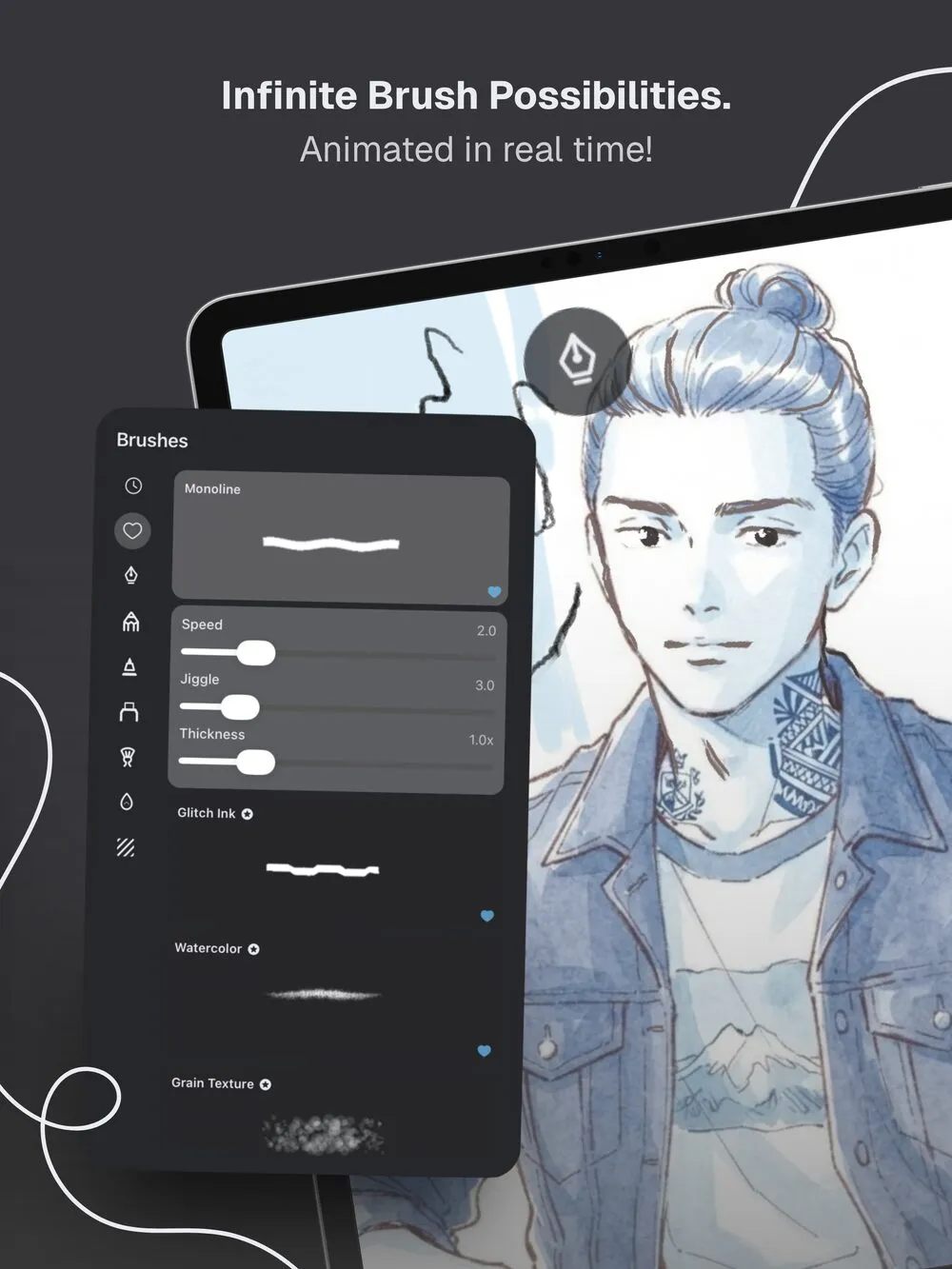
Doodraw is a drawing app where every stroke animates with a hand-drawn wobble the moment you draw it. There is no timeline and no keyframes: you draw, and it already moves. That is the same feeling people love in WigglyPaint, in an app you install from the App Store or Google Play.
- Platforms: iPhone and iPad (iOS 16.4 or later) and Android.
- Drawing: animated brushes with sliders for speed, jiggle and thickness, so you choose how hard each line boils. Stabilization goes from 0 to 100% for clean lettering. It works with a finger or a stylus, with pressure, and there is an “Apple Pencil only” setting on iOS and a “Stylus only” setting on Android so your palm does not draw.
- Color and layers: any color you like, and layers that animate independently. PNG import keeps transparency, so you can drop in a sticker or logo.
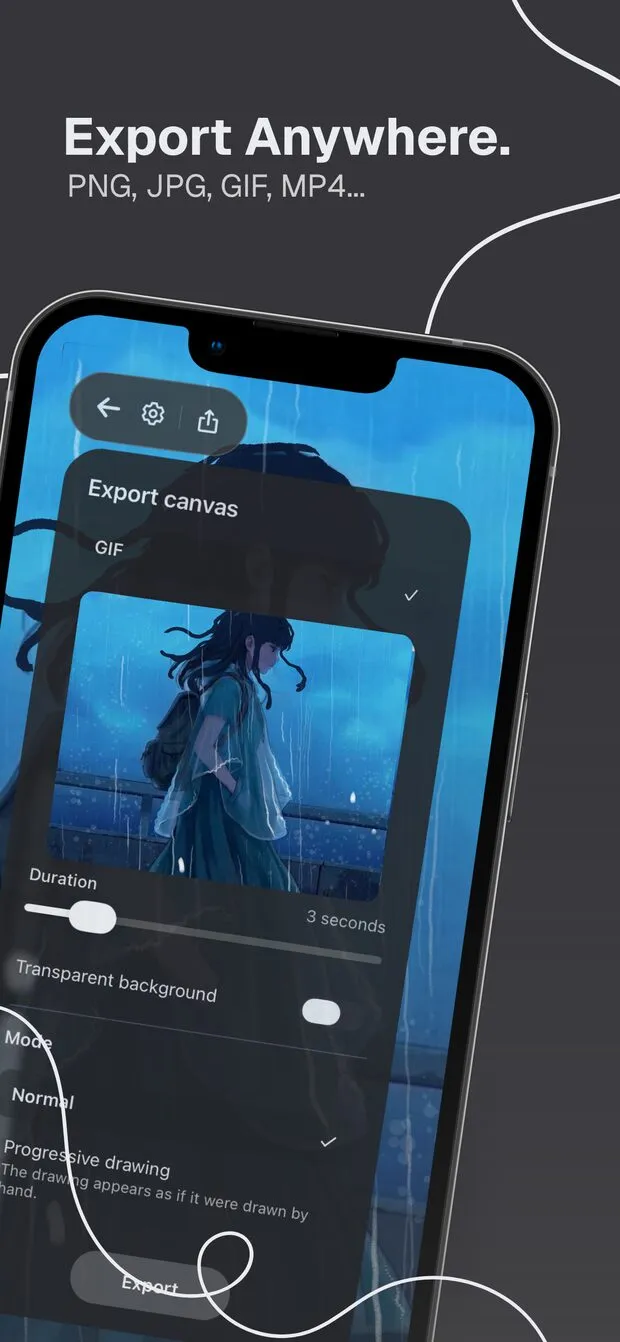
- Export: Animated PNG, GIF or MP4, up to 1080p, with a duration from 1 to 15 seconds. Still images save as PNG or JPG. The “Transparent background” toggle for GIF and Animated PNG is free. Animated PNG keeps real 8-bit alpha, so soft edges stay clean on any background, which GIF cannot do.
- Real limitation: free exports carry a watermark. WigglyPaint has none, and costs nothing. Exports are also capped at 15 seconds.
- Price model: drawing, animating and exporting are free. Doodraw Pro removes the watermark and adds premium animated brushes, a frame-by-frame assistant with onion skin, per-layer animation controls and progressive drawing export (your drawing appears stroke by stroke). In the US it costs $3.99 per month, $22.99 per year with a 7-day free trial, or $44.99 once for lifetime access. Prices vary by country.
- Best for: people who fell for the wiggly look and want to draw it on their phone or tablet, in full color, with layers and a clean transparent export.
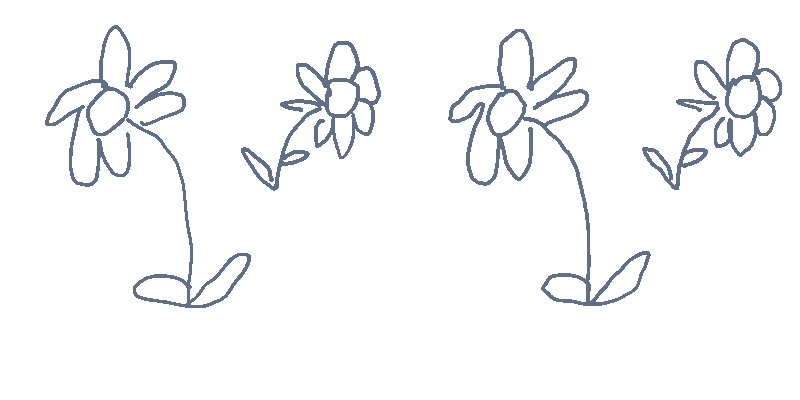
Doodraw is made by two French artists. It runs on a rendering engine written by hand in Rust, so canvases full of animated strokes stay at 60 frames per second. There is no AI: every line is drawn by you.
Where WigglyPaint still wins: it is free with no watermark, open source, runs on any computer, and you can reach inside it with Decker and change how it works. Its tight five color palettes also push you toward bold, confident drawings in a way a full color picker does not.
2. AmberDraw: animated brushes on phone, tablet and Mac
AmberDraw, by Mykyta Gaidukov, puts the motion inside the brush: you draw a line and it wiggles, scatters or pulses right away. Its App Store listing describes brushes like Scribble, Gradient, Particle and Charcoal, each with adjustable speed, density, size and behaviour.
- Platforms: iPhone and iPad (iOS 17 or later), Apple silicon Macs, and Android through Google Play.
- What it does best: a wide range of brush effects beyond line boil, a Mac version, and PNG sequence export for compositing in desktop software.
- Real limitation: neither store listing mentions a transparent background option, and on Android the listing says GIF and PNG sequence export require Pro.
- Price model: free, with a Pro subscription at $1.99 per month or $9.99 per year in the US App Store. No one-time option.
- Best for: people who want more kinds of motion than a wobble. We compare it with Doodraw in Doodraw vs AmberDraw, and list more apps in AmberDraw alternatives.
3. MoveBrush: animated brushes and a timeline, iPad only
MoveBrush, by Easyberry LLC, mixes both worlds. Its App Store listing describes 7 animated brush types, including Jitter, Sketch, Glow and Boil, alongside a frame-by-frame timeline with onion skinning.
- Platforms: iPad (iPadOS 18.2 or later). No iPhone or Android version.
- What it does best: a Boil brush close to the WigglyPaint look, plus layers, blend modes, groups and transparent GIF export.
- Real limitation: the free tier is capped at 3 animated brushes, a 10-frame timeline and 5 second video exports.
- Price model: free, with a one-time Premium Unlock at $9.99 in the US App Store.
- Best for: iPad owners who want wiggly brushes and a real timeline without a subscription. See Doodraw vs MoveBrush for the detail.
4. FlipaClip: draw the wiggle yourself, frame by frame
FlipaClip, by Visual Blasters LLC, is not an automatic wiggle app. You draw each frame on a timeline with onion skin and play it back, which is how line boil was made before tools like WigglyPaint.
- Platforms: iPhone and iPad, Android and Chromebook.
- What it does best: learning traditional animation, with up to 10 layers, rotoscoping and audio tracks.
- Real limitation: nothing moves on its own. A three frame boil means tracing your drawing three times, and exports carry a FlipaClip logo unless you pay. According to the FlipaClip Knowledge Base, transparent export works for GIF and PNG sequence, and PNG sequence is a premium feature.
- Price model: free with ads, with FlipaClip Plus listed in the US App Store at several price points from $5.99 to $39.99.
- Best for: people who want to go from wiggly doodles to full animation with sound. Our FlipaClip alternatives guide covers it in depth.
How to choose your WigglyPaint alternative
Start from what you want to do:
- Keep it free, no install, no watermark: stay with the official WigglyPaint on itch.io. Nothing here beats free and open source.
- The same wiggle in a native app on iPhone or Android: Doodraw.
- Full color, layers and a stylus with pressure: Doodraw on phones and tablets, MoveBrush on iPad.
- Transparent stickers with soft edges: Doodraw, with Animated PNG and its free transparent toggle.
- An MP4 for TikTok, Reels or Shorts: Doodraw, AmberDraw or MoveBrush.
- Many brush effects beyond line boil, or a Mac: AmberDraw.
- Full frame-by-frame animation with sound: FlipaClip.
The easiest test is to draw the same little character in WigglyPaint and in the app you are considering, export both, and look at the files where you will actually post them. Our guide on turning a drawing into a GIF on your phone explains which format to pick for each platform, and the Doodraw FAQ answers the common questions about export, Pro and devices.
FAQ
Is there a WigglyPaint app for iPhone or Android?
No. As of September 2026, WigglyPaint’s creator states there are no official iOS or Android apps. It is only published on itch.io, the creator’s website beyondloom.com and Newgrounds, and it runs in a mobile browser. Any paid app or ad-supported site using the WigglyPaint name is not made by its creator.
What is the best WigglyPaint alternative for iPhone and Android?
Doodraw is the closest native alternative: every stroke animates with a hand-drawn wobble the moment you draw it, on iPhone, iPad and Android. It adds full color, layers, pressure, stabilization and export to GIF, Animated PNG and MP4 with a free transparent background option. Free exports carry a watermark, which Doodraw Pro removes.
Is WigglyPaint free?
Yes. WigglyPaint is free, open source (MIT code license, CC0 assets) and has no ads. Its creator says it will always be free to use, modify and keep, and that everything you draw with it is yours. You can play it in a browser or save it as a single HTML file to use offline.
Can WigglyPaint export a transparent GIF?
Yes. Since version 1.1, WigglyPaint has a Transparency Mask mode that lets you draw and save partially transparent GIF animations. Doodraw also exports transparent GIFs for free, and adds transparent Animated PNG, which keeps soft, anti-aliased edges clean on any background.
Is Doodraw a copy of WigglyPaint?
No. Doodraw is a separate app, not a port or a wrapper of WigglyPaint, and it is not affiliated with WigglyPaint’s creator. It is made by two French artists and runs on its own rendering engine written in Rust. Both apps share the idea of animated line boil, which is an old hand-drawn animation technique.
Try Doodraw
If WigglyPaint made you fall for wobbly lines and you want them in an app on your phone or tablet, Doodraw is free to download on the App Store and Google Play. Get Doodraw and draw your first wiggling line in a few seconds.